
Captive portal for UniFi
Guest Wi‑Fi that looks like your brand and runs itself.
Sosto Labs Captive Portal adds a professional sign-in page to your UniFi network: e-mail verification or vouchers, speed and time limits, privacy consent and live statistics. Hosted in Switzerland, nothing to install.
- For UniFi networks
- Works with any router
- Portal in 5 languages
- UniFi
- Official Integration API
- Hosted in
- Switzerland
- Guest portal in
- IT · DE · FR · EN · ES
- Every plan
- Every feature
The guest experience
Online in seconds. Verified in the background.
Guests connect to your Wi‑Fi and land on your branded page. They get online straight away while they confirm their e-mail — no waiting in the lobby for a message that is slow to arrive.
- 1
Your page, your brand
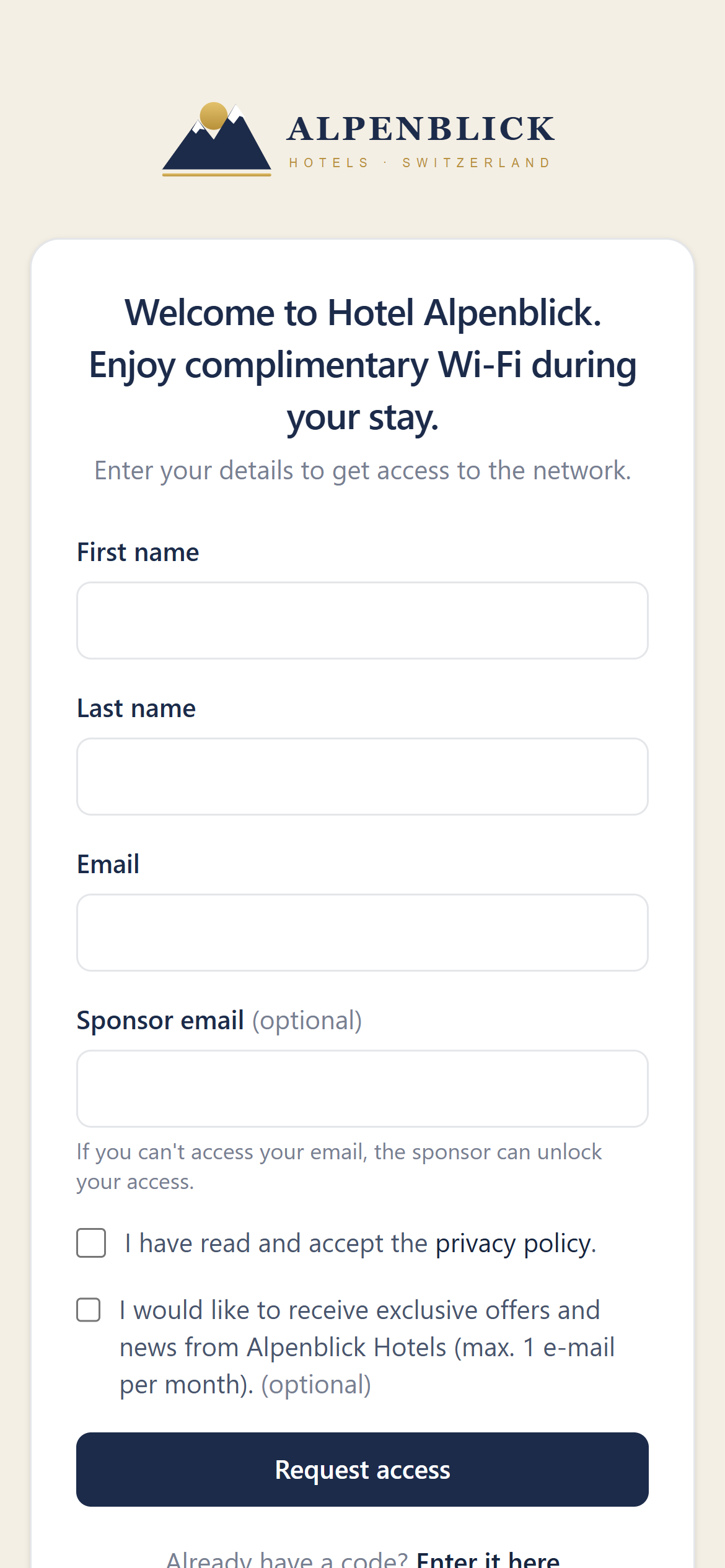
The portal opens automatically when a guest joins the network, in their phone’s language, with your logo, colours and welcome text.
- 2
A few details, one tap
First name, last name and e-mail, plus your privacy notice. Typos are caught, disposable addresses and invalid domains are refused.
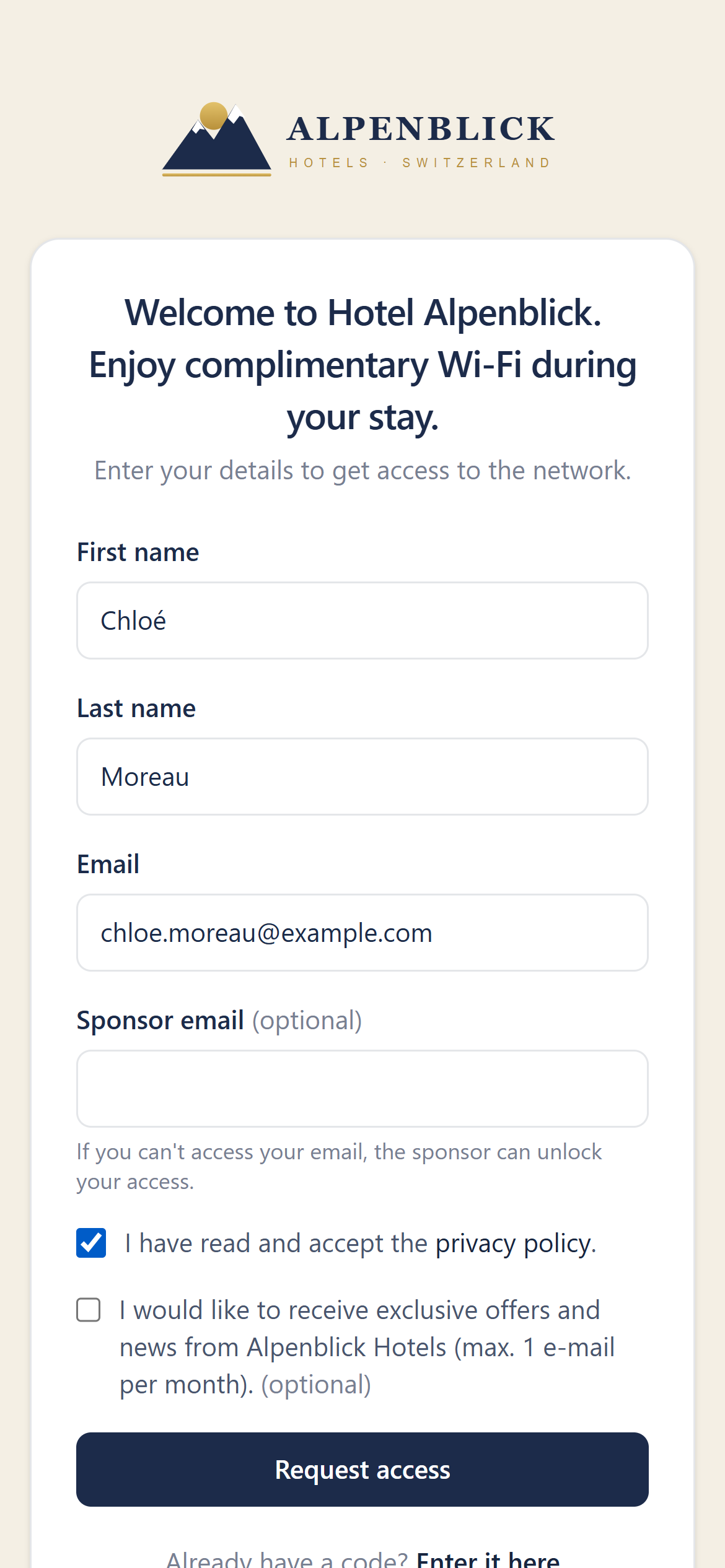
- 3
Online immediately
A short grace period starts at once, so the guest can open their mailbox. The e-mail brings a link and a numeric code.
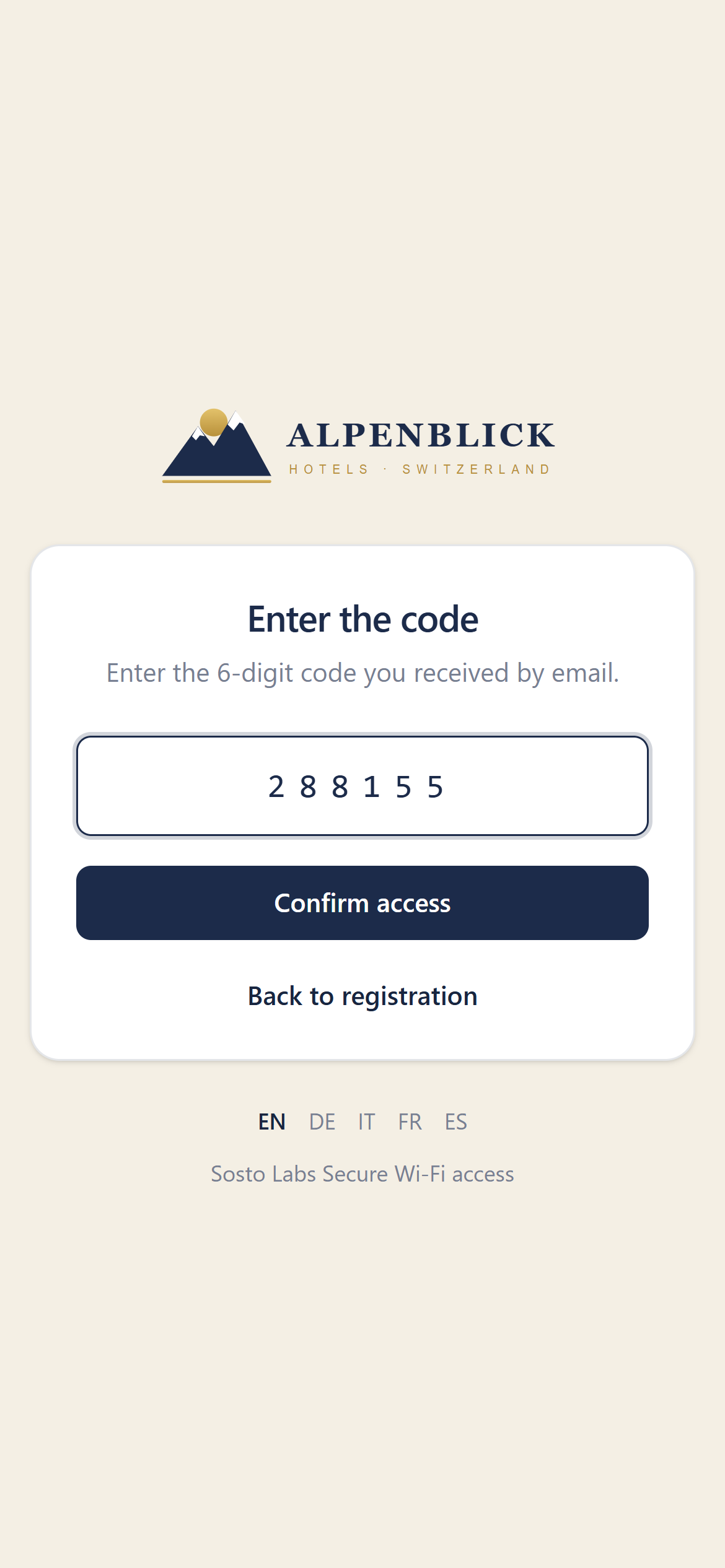
- 4
Confirmed on any device
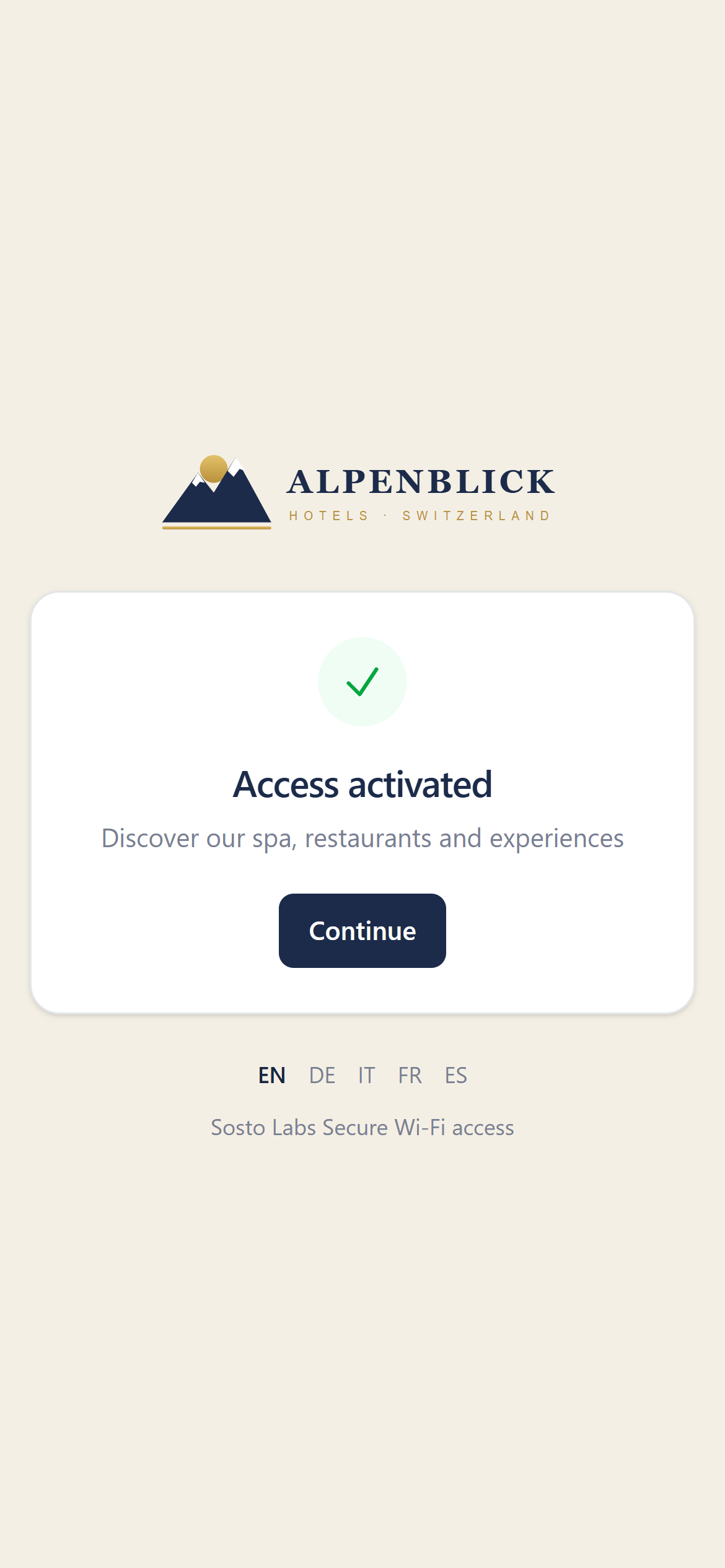
The link or code unlocks the full session — even when typed on the portal from another device. Then a branded “Access activated” page and your own link.
Cloud-hosted
No server to install. Three steps to go live.
We run and update the service for you. You connect the UniFi network you already have — your router and firewall can be any brand.
- 01
Start your trial
Pick a plan and create your account. Your portal is created for you.
- 02
Connect UniFi
Add a site, paste your UniFi console address and API key, run the connection test and pick the UniFi site.
- 03
Switch on the hotspot
In UniFi Network, point the Hotspot portal to the address we give you. Guests see your page from the next connection.
What you need
UniFi access points and a UniFi OS console running UniFi Network 9.x or 10.x. Router and firewall can be any brand, as long as they let you set up port forwarding to the console, which you can restrict to our server. Your connection must be reachable from the internet: with a static public IP or, if the IP changes, with a DDNS name.
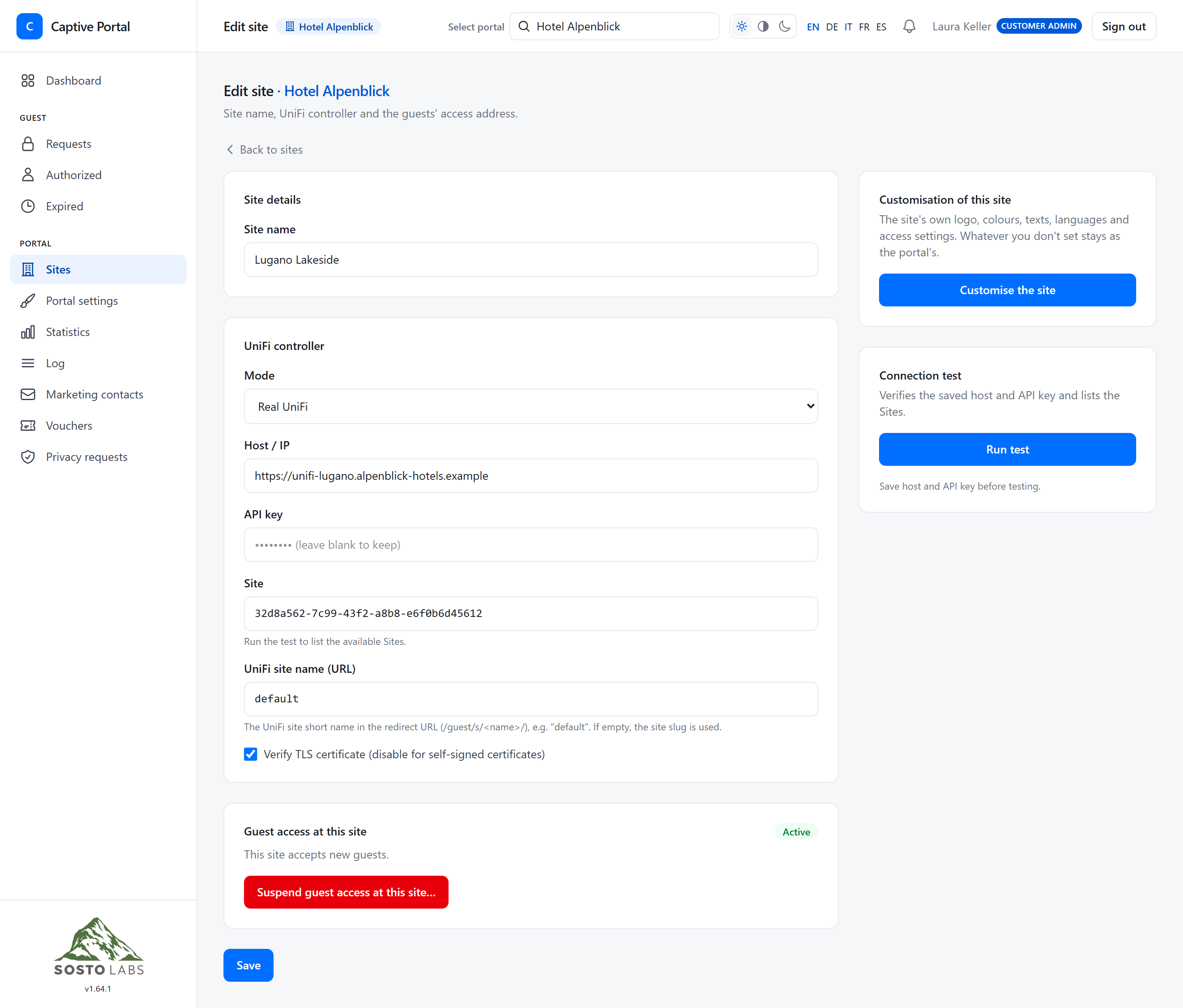
The control room
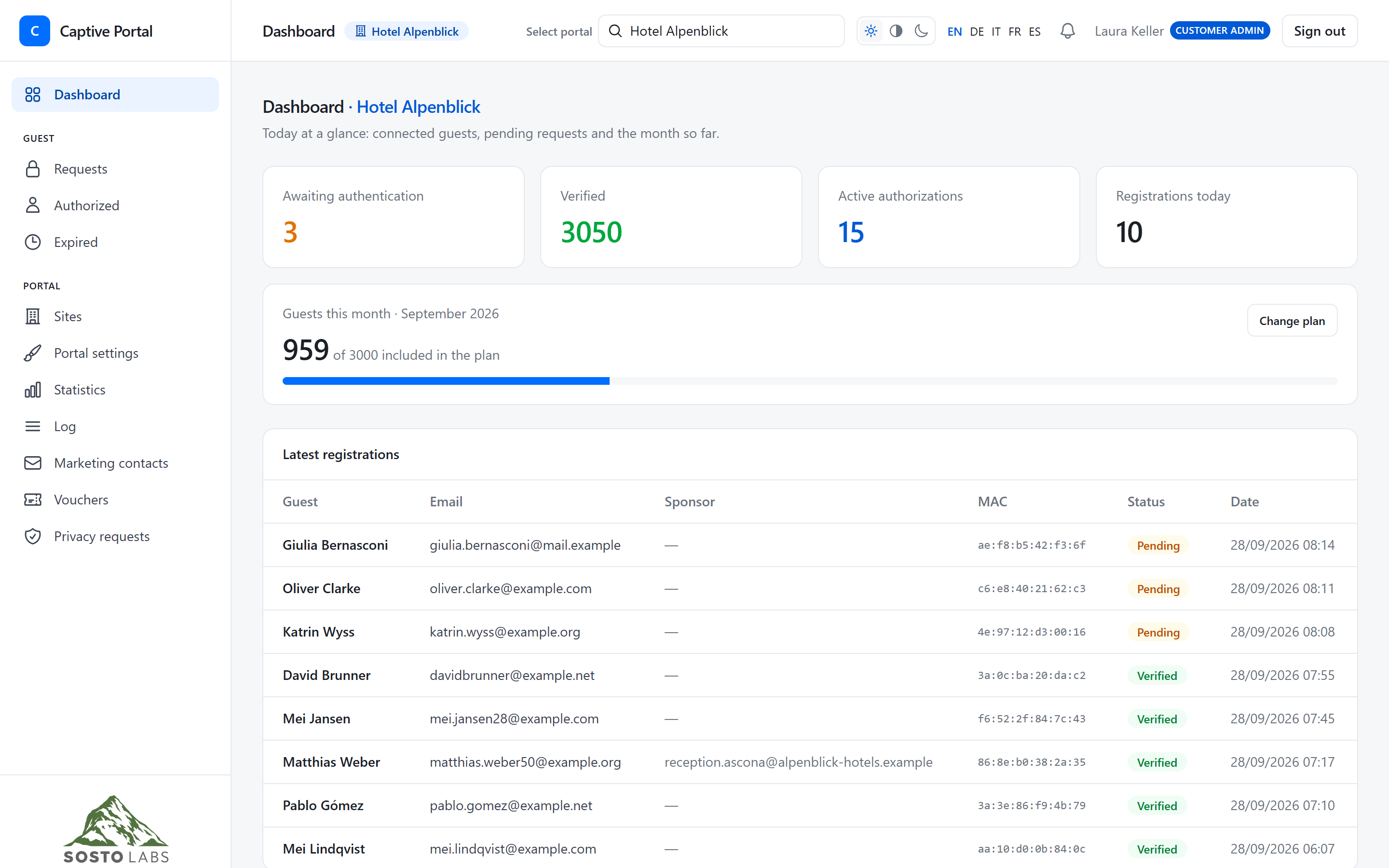
Everything that happens on your guest network, at a glance.
A clean admin panel, in light or dark mode, on desktop or phone.
See who is online
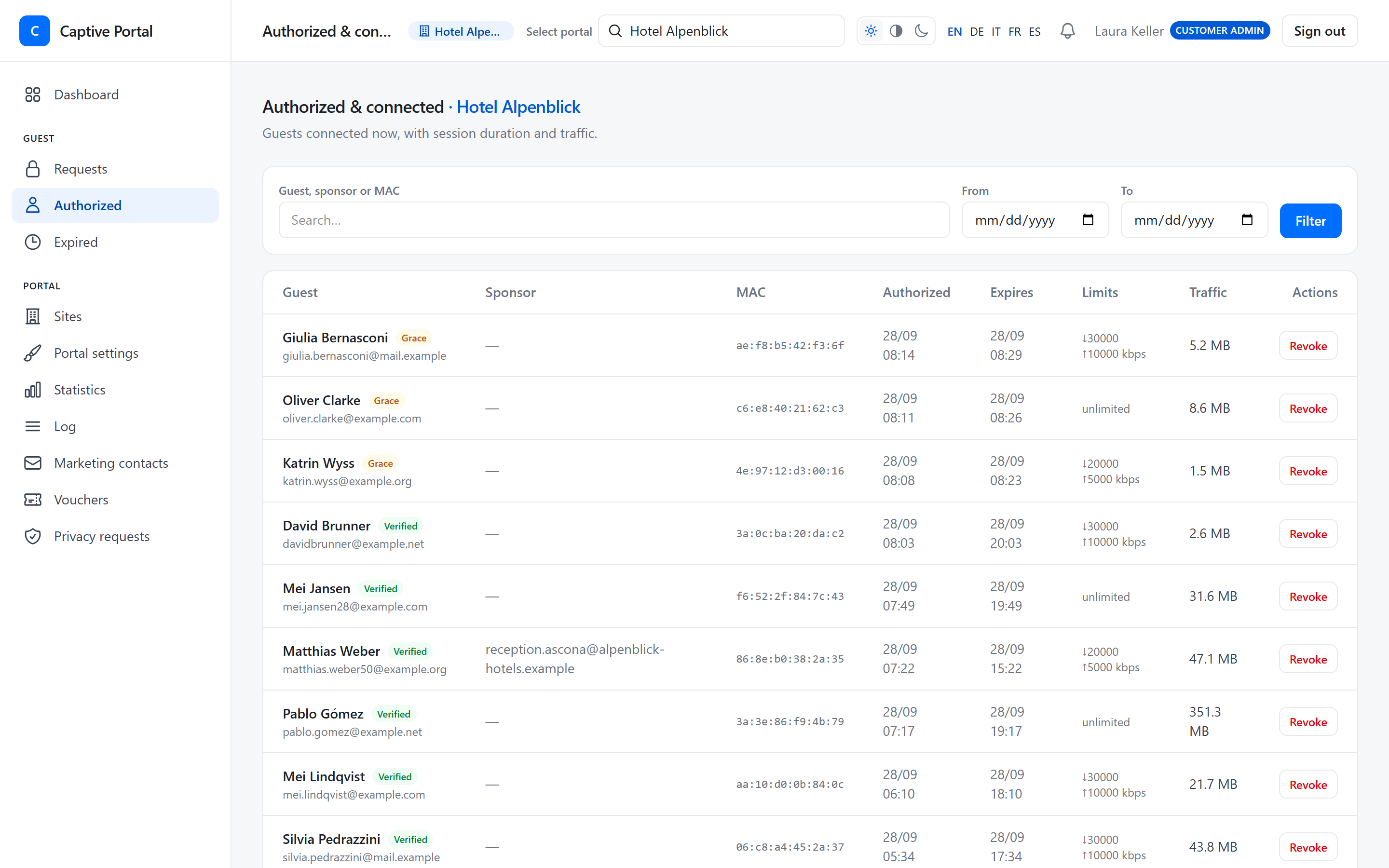
Connected guests with their session, limits and live traffic. Revoke access with one click — the device is disconnected at once.
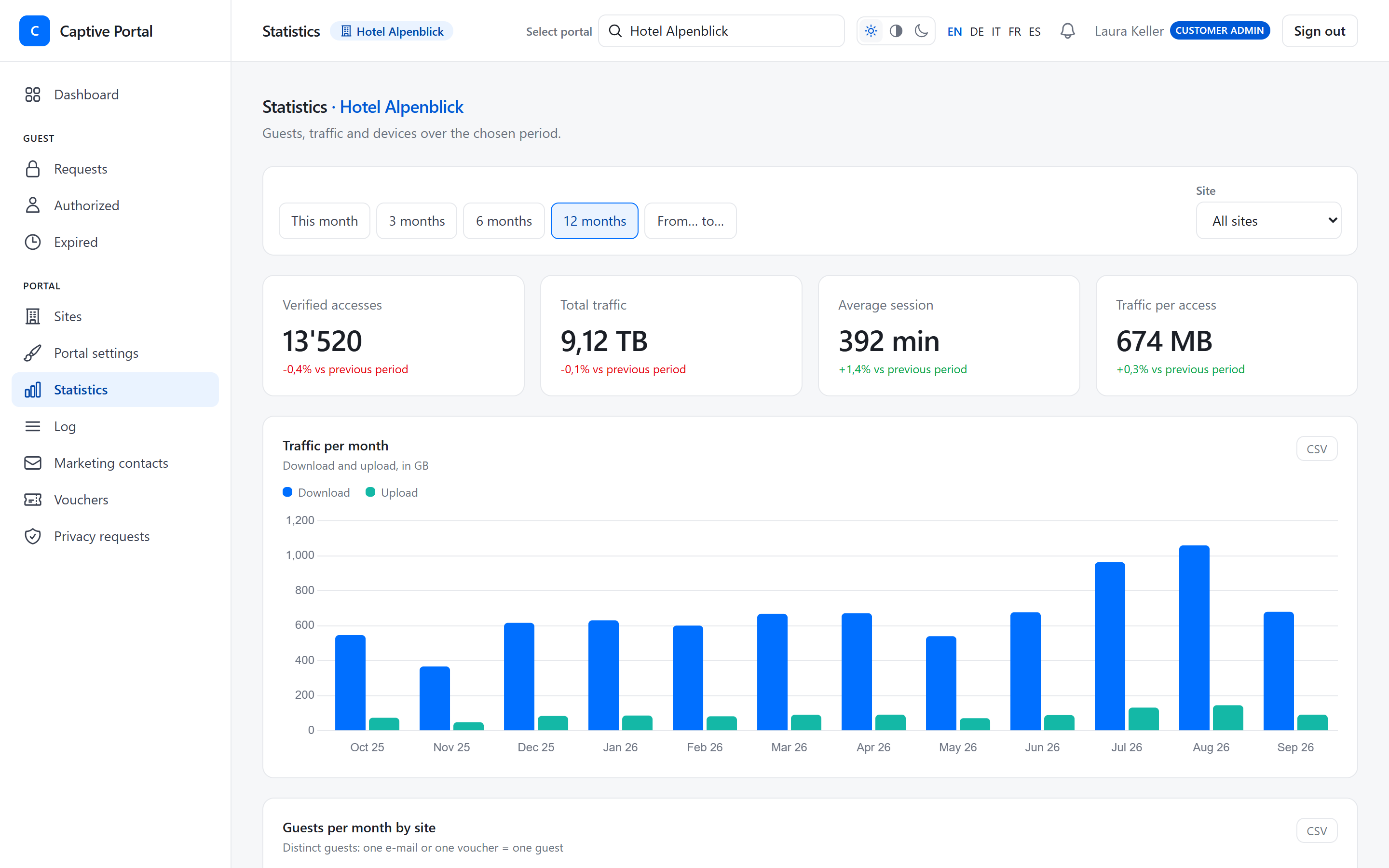
Understand how Wi‑Fi is used
Traffic per month, guests per site, peak hours and days, busiest access points, languages and device types — each chart exportable to CSV.
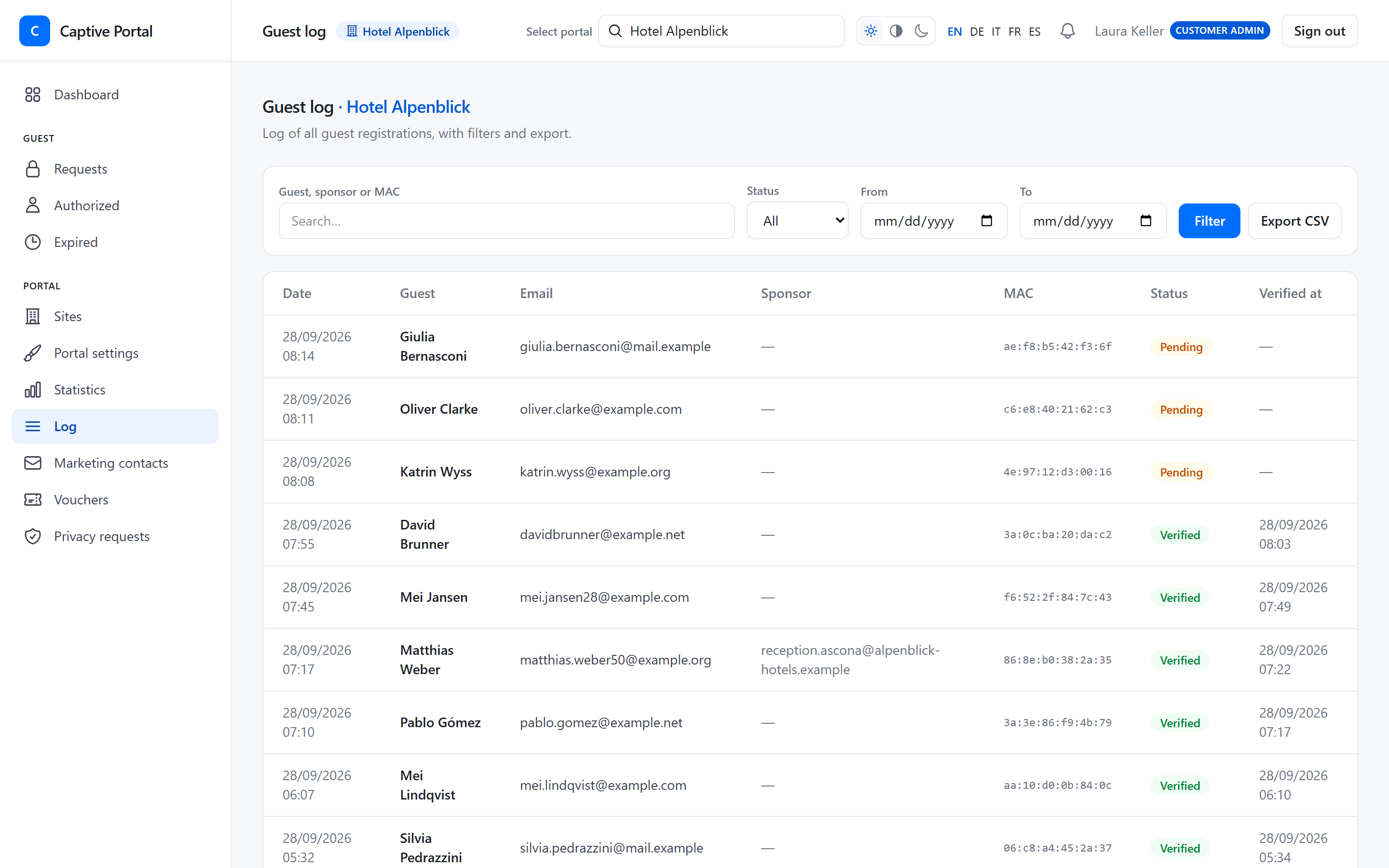
Find anything in the log
Every registration with its status, searchable by guest, sponsor or device, filtered by date and exported to CSV.
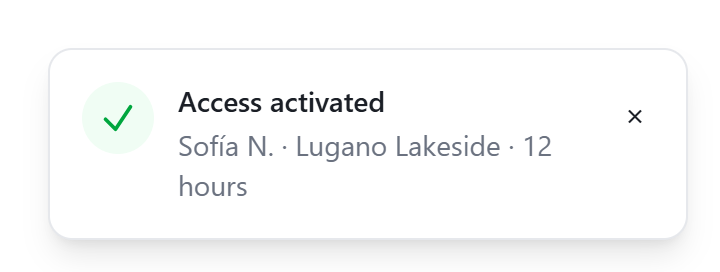
Know the moment a guest gets online
While the panel is open, a live notice tells you when a guest gets access or is waiting for a sponsor’s approval — with just the first name, the site and the session length.
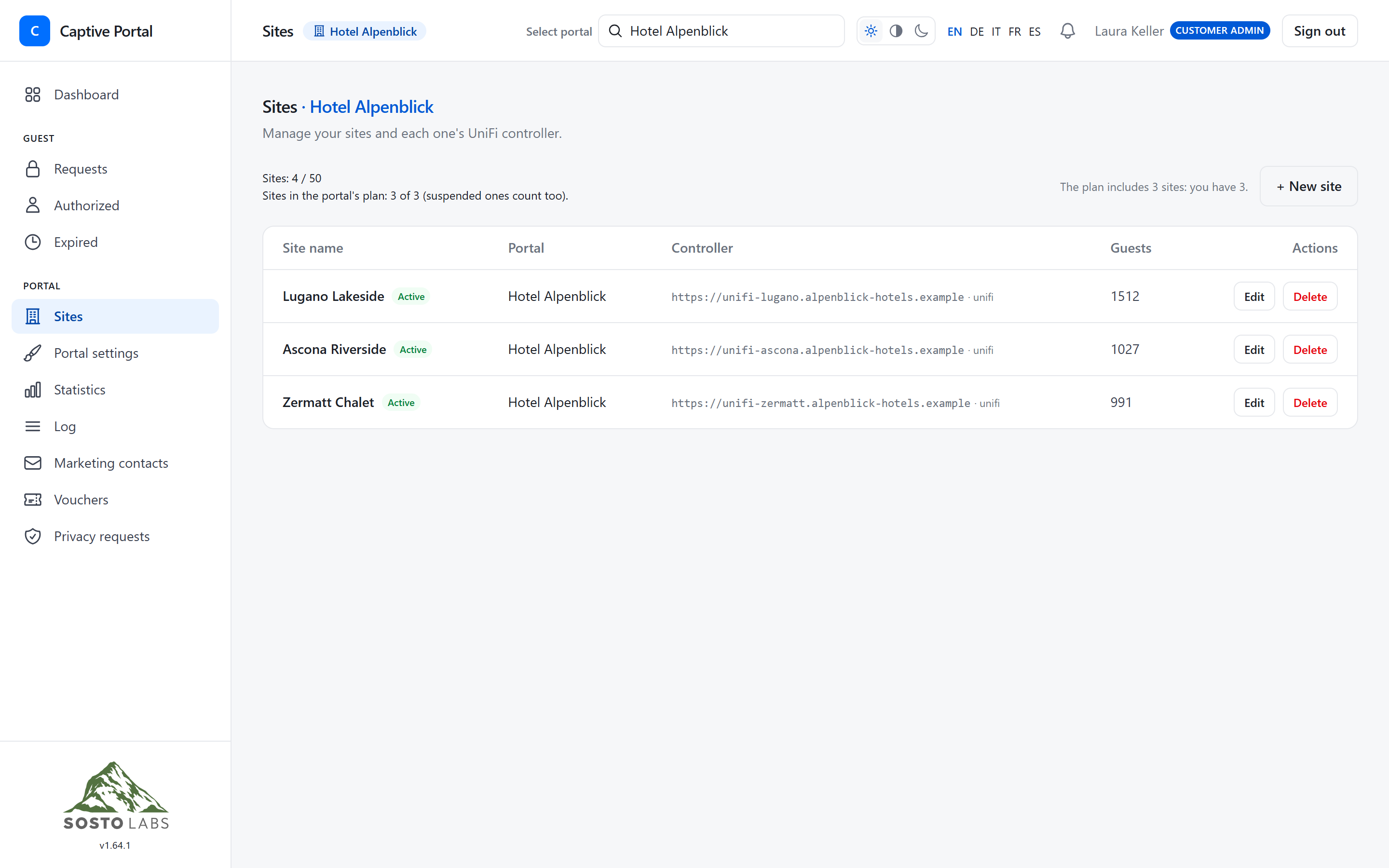
Many sites, one place
One UniFi controller per site, with its own settings. Suspend a site with a message to guests in five languages.
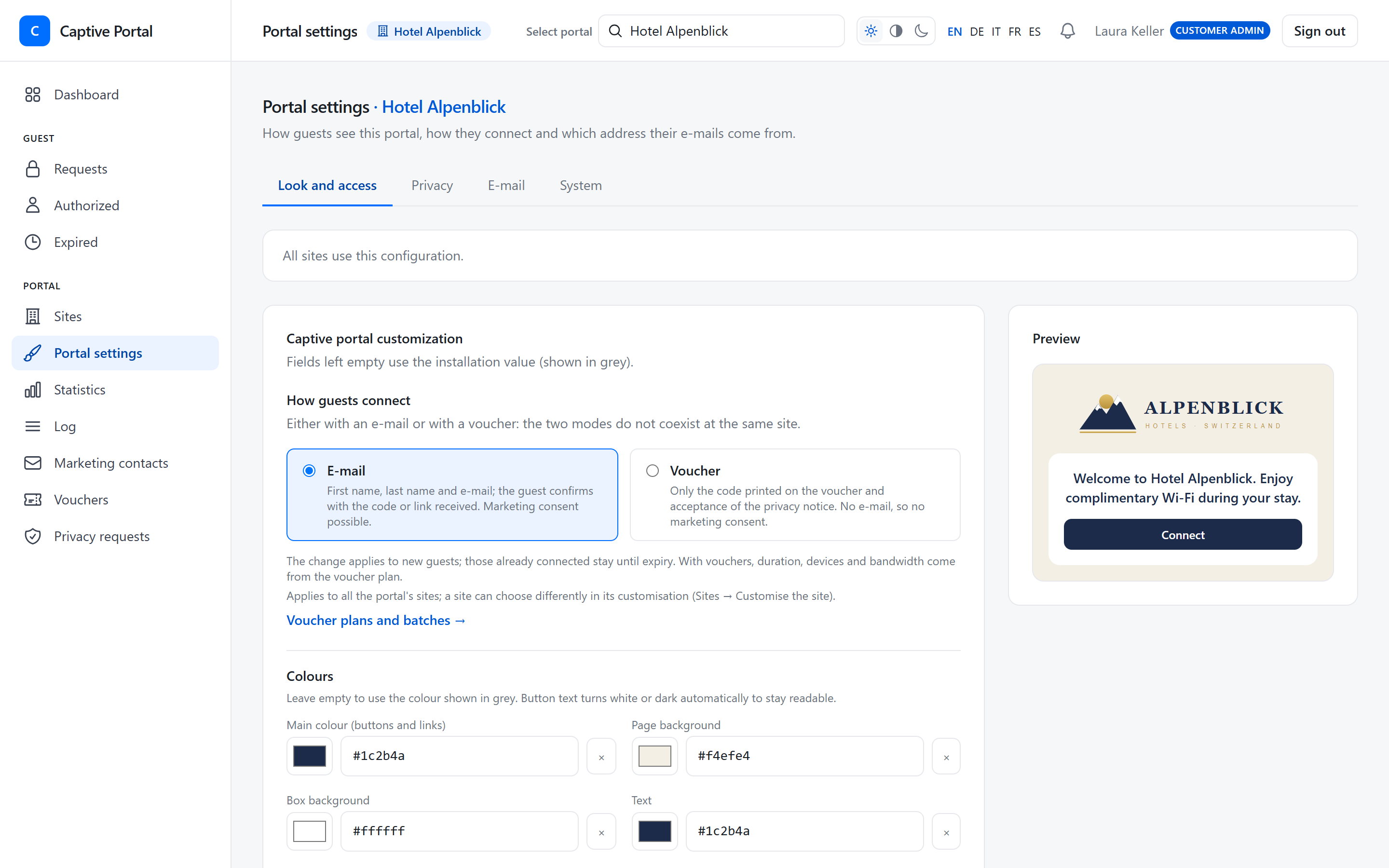
Your brand
It’s your portal. Make it look like it.
Logo, colours and welcome texts in five languages, with a live preview. Set it once for the whole portal and adjust single sites when you need to.
- Logo and four colours — button text contrast adjusts automatically
- Welcome and marketing texts in Italian, German, French, English and Spanish
- Different look, languages and access mode per site
- E-mails sent from your own address and mail server
- Your own link on the “Access activated” page
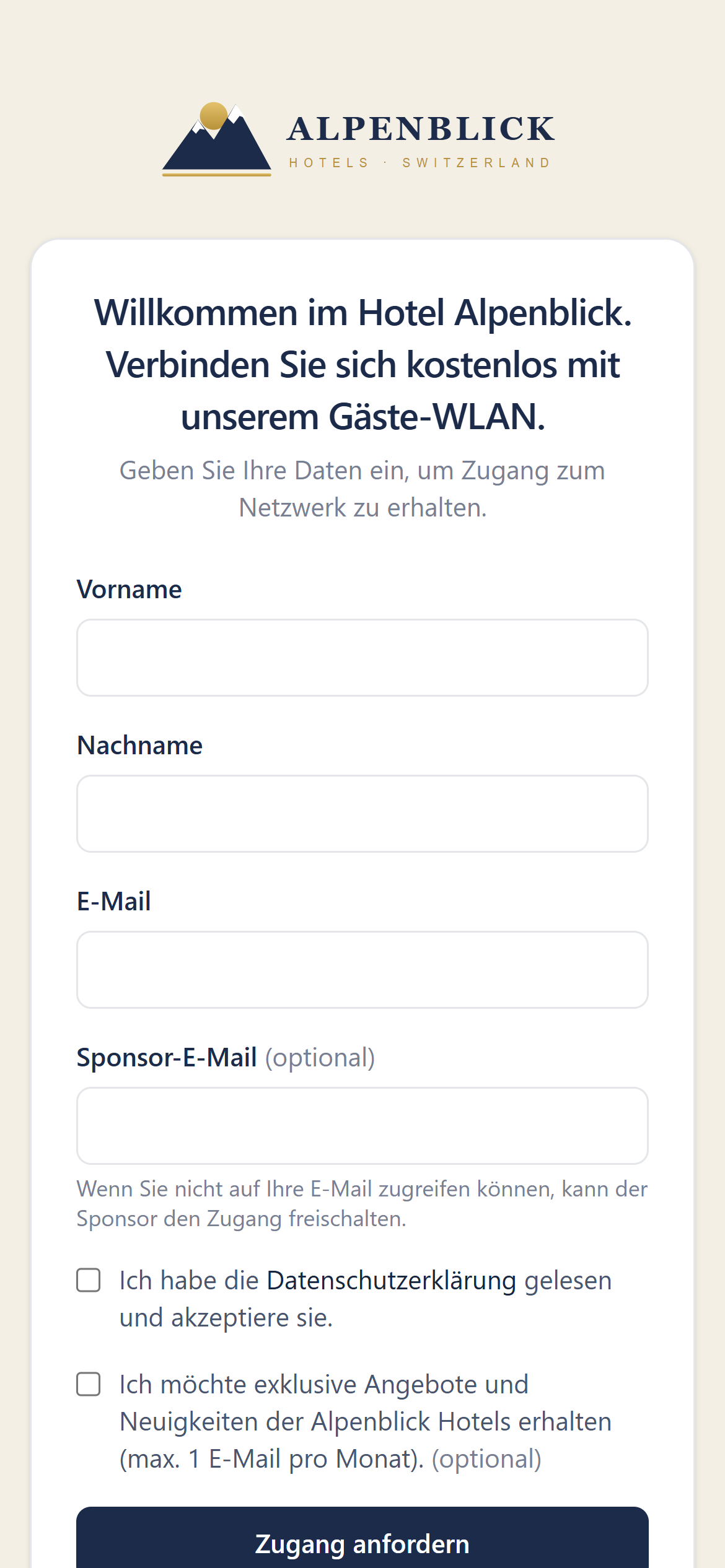
Welcome to our guest Wi‑Fi
Enter your details to get online.
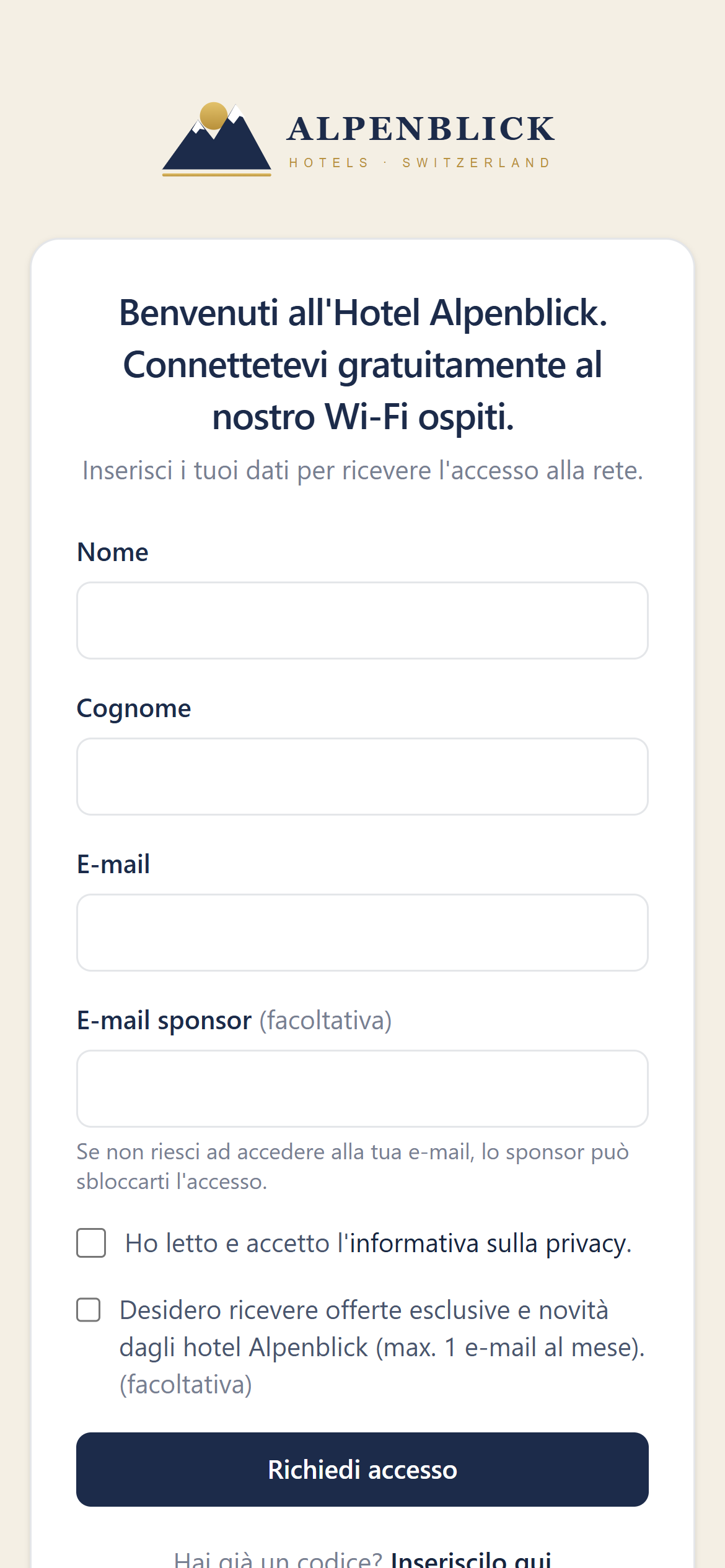
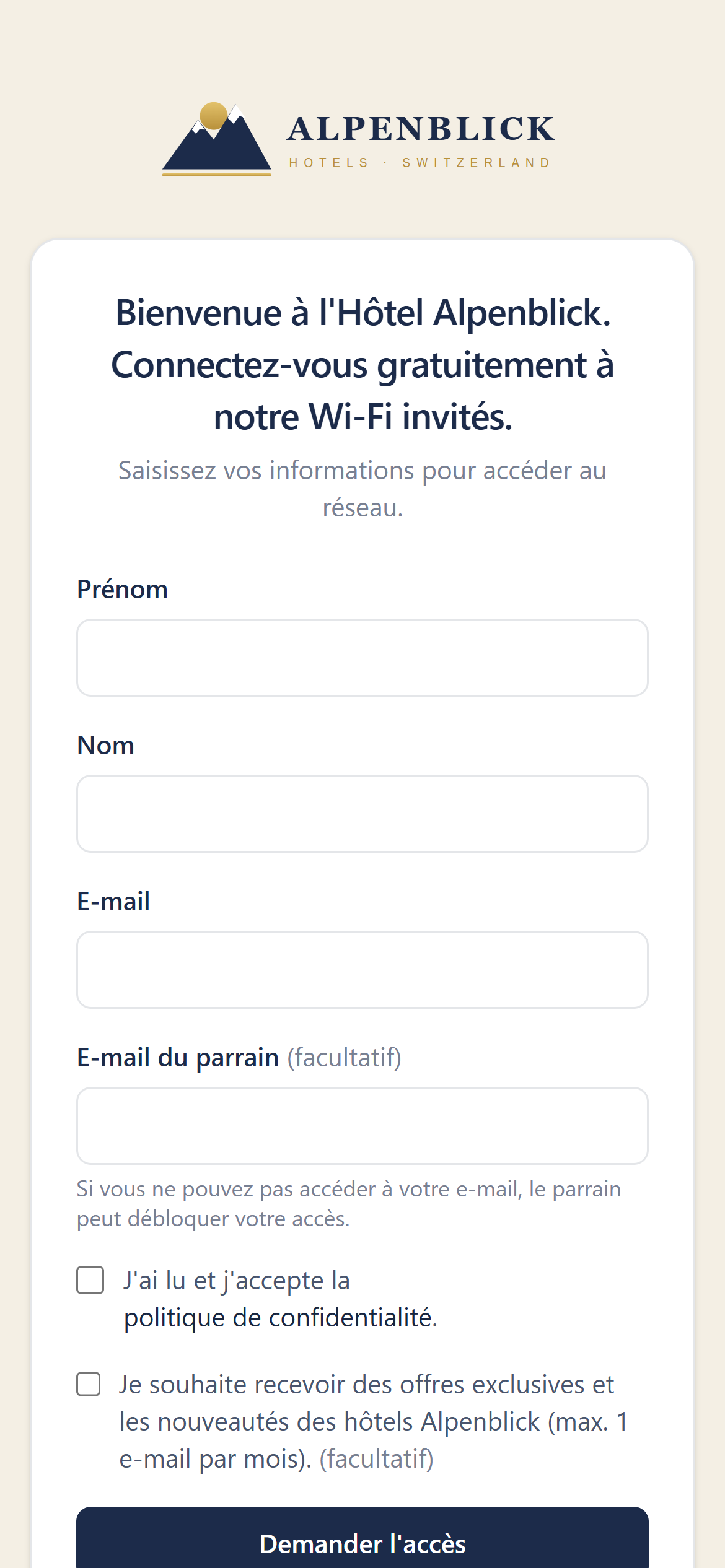
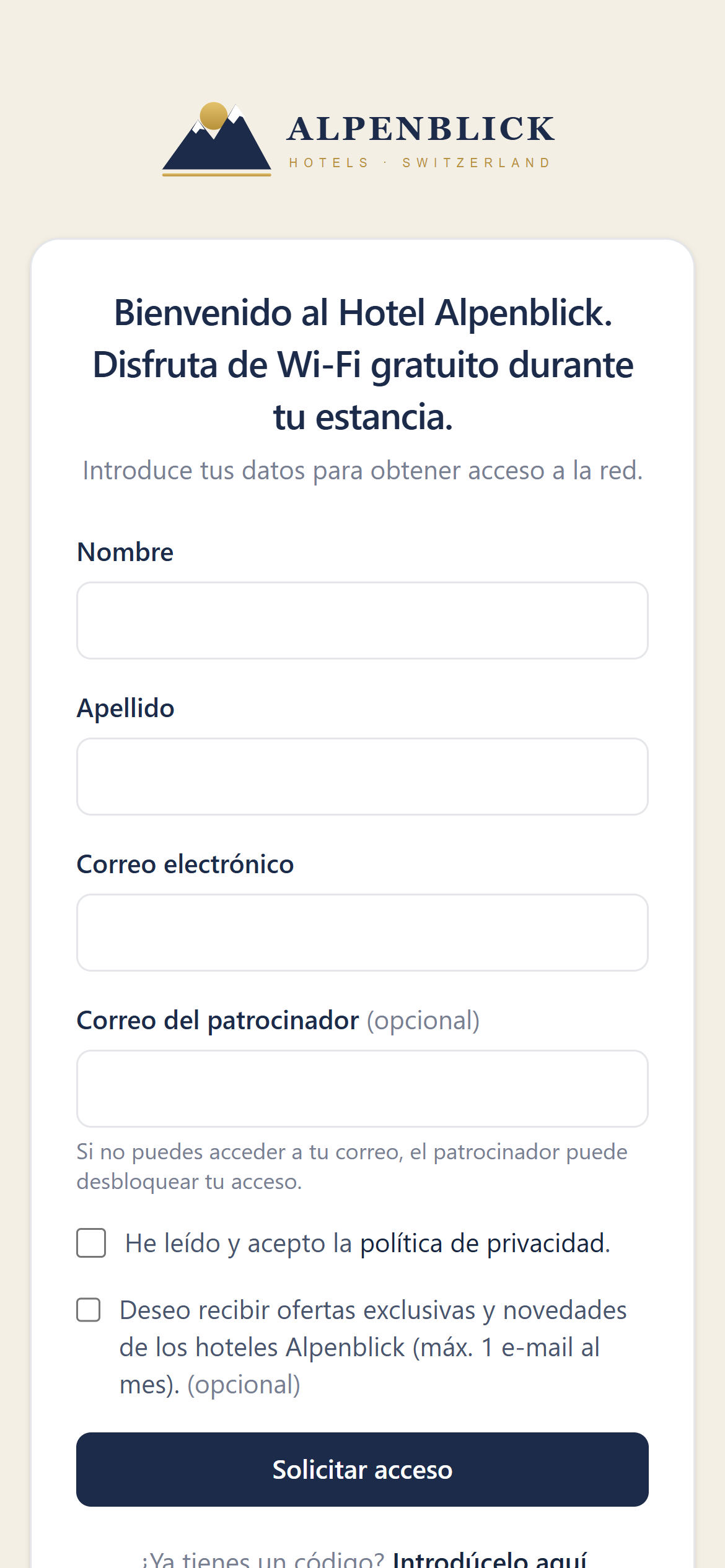
Five languages
Every guest is welcomed in their language.
The portal follows the language of the guest’s phone — Italian, German, French, English or Spanish — and guests can switch at any time. You choose which languages each site offers.
Built with privacy in mind
Tools to run guest Wi‑Fi with GDPR and the Swiss nLPD in mind.
You stay the controller of your guests’ data. The portal gives you what you need to configure it properly — and keeps a record of it.
Versioned privacy notice
Your notice in every language. Each change creates an immutable version, and every registration is linked to the exact text the guest accepted.
Marketing consent done right
Optional, never pre-ticked, off until you enable it. Opted-in contacts with verified e-mail in one list, exportable and revocable.
Retention you control
Choose how long names, e-mails and devices are kept. After that they are anonymised every night — statistics stay.
Access and erasure requests
Find a guest by e-mail or voucher code, export their data as JSON or erase it, disconnecting the device.
Hosted in Switzerland
Guest data is stored in Switzerland. Credentials such as API keys and mail passwords are encrypted at rest.
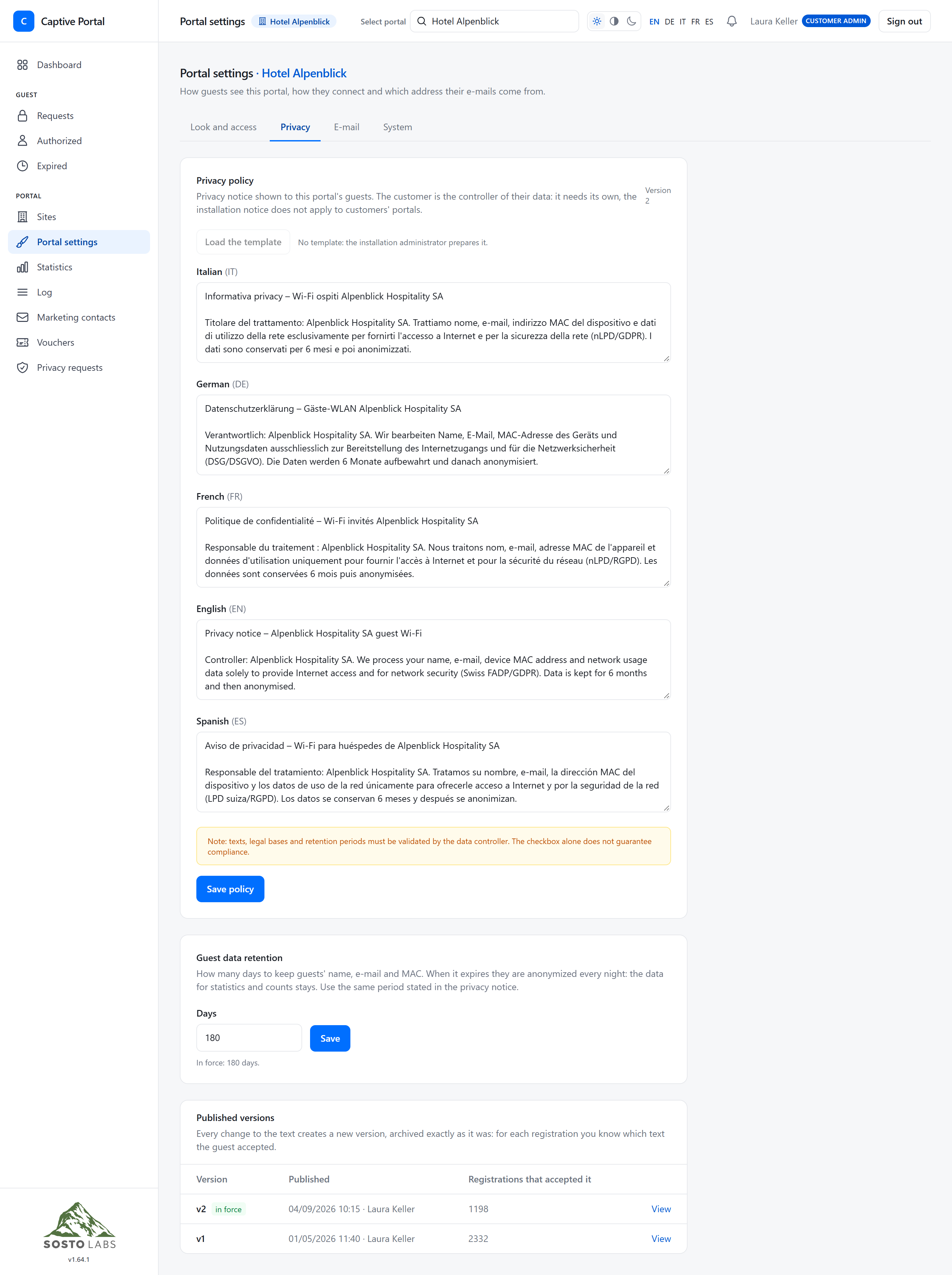
Compliance depends on how you configure and use the service: texts, legal bases and retention periods remain your responsibility as data controller.
Vouchers
Hand out Wi‑Fi like a key card.
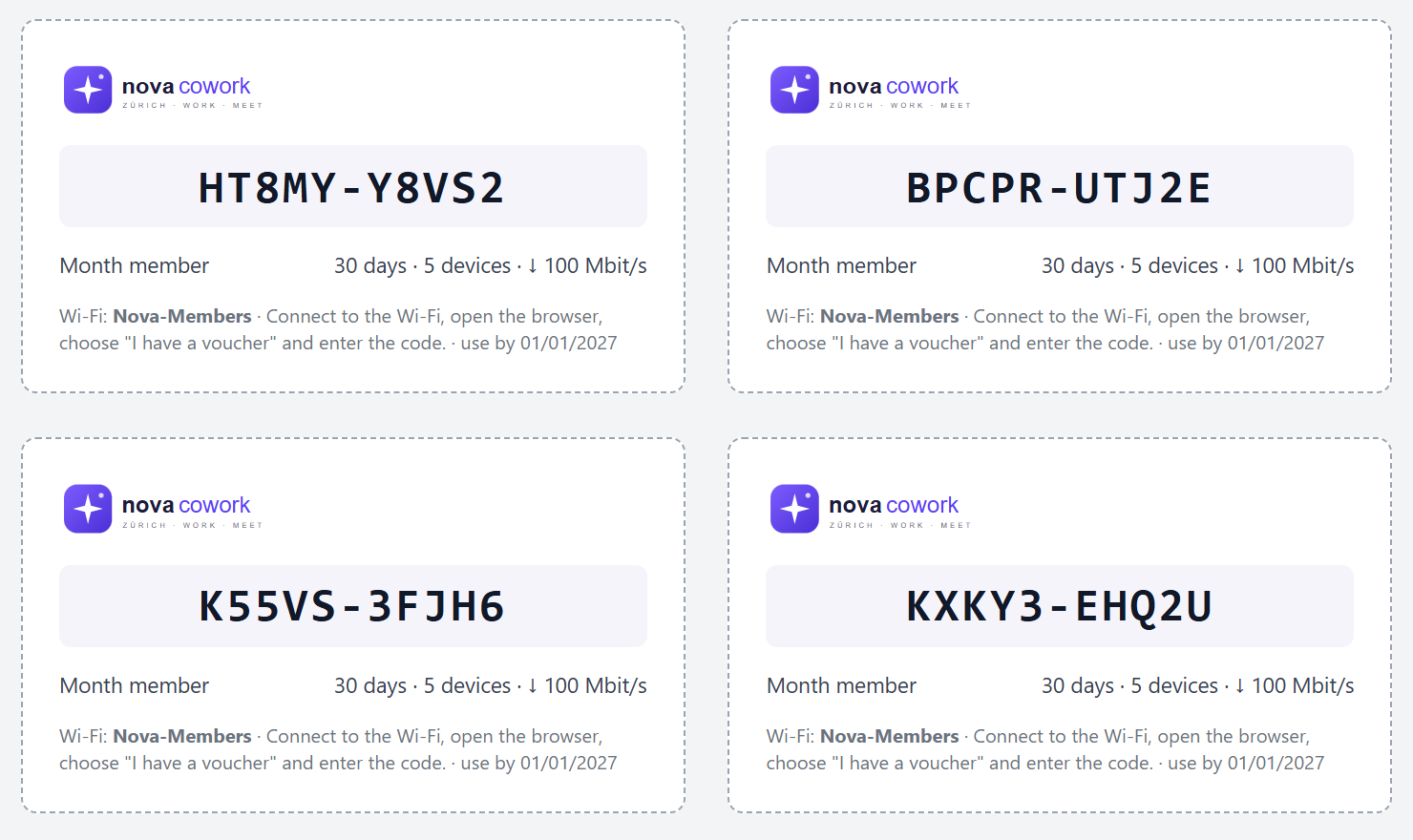
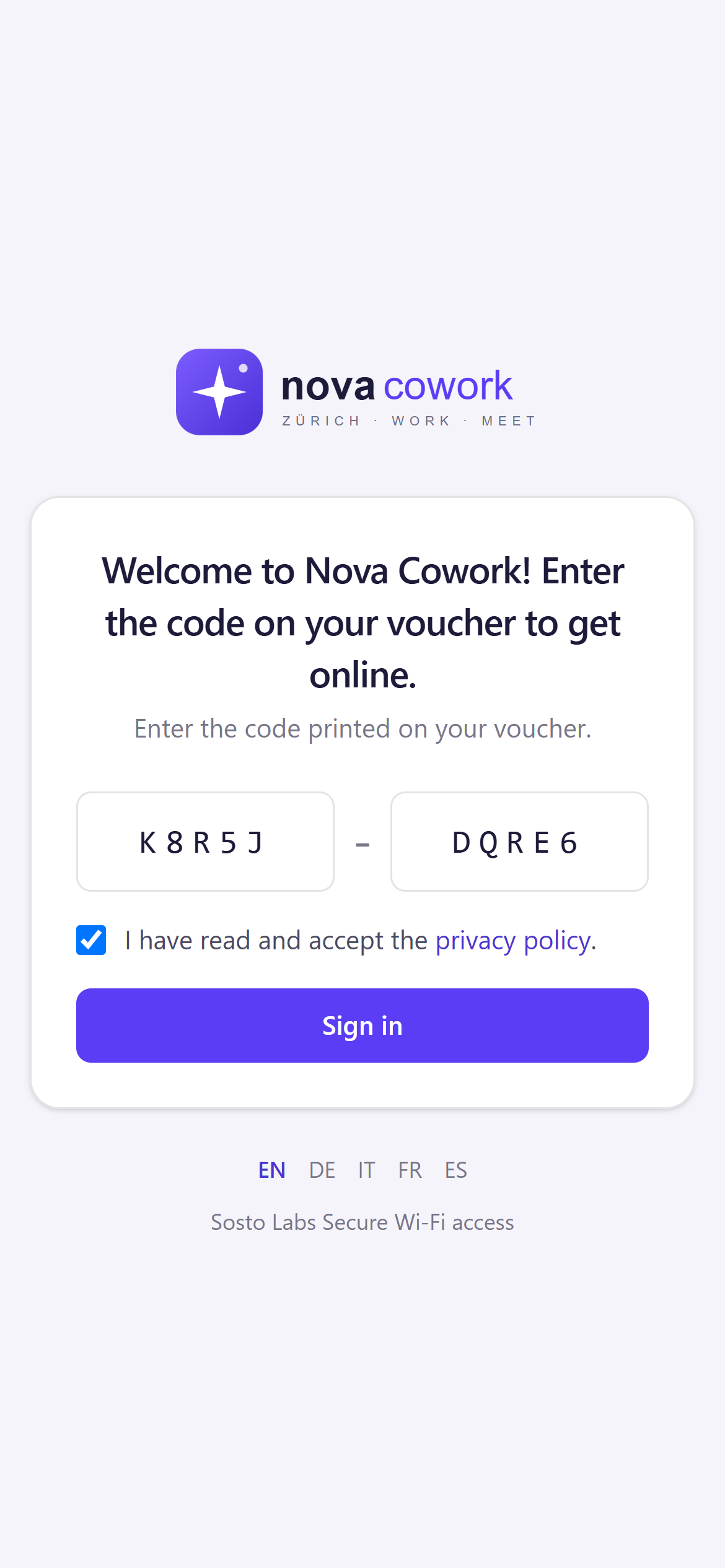
Prefer codes to e-mail? Switch a site to vouchers: print branded cards, hand them out at the desk, and guests type a short code to get online.
- Voucher plans with duration (minutes to days), devices per code, speed and data limits
- Batches of up to 1,000 codes, with an expiry date
- Printable cards with your logo, network name and instructions — or CSV export
- The duration starts at first use; revoke a code or a whole batch at any time
Solutions
Made for every place that welcomes guests.
Hotels & hospitality
Welcome guests in their language, offer vouchers for the length of the stay and grow your newsletter with consent that holds up.
Marinas & harbours
Wi‑Fi for visiting boaters and seasonal berth holders: vouchers for the length of the stay and several devices per boat.
Coworking spaces
Day, week and month passes as vouchers, several devices per member, fair speed limits for everyone.
Schools & universities
Visitors sign in with a verified e-mail; a sponsor from your staff can be required to approve every access.
Shopping centres & public Wi‑Fi
Anti-abuse checks on e-mail addresses, per-device speed limits and statistics on peak hours and busiest areas.
Companies
Visitor Wi‑Fi approved by the colleague they are meeting, with sponsor e-mails restricted to your own domains.
Student housing
Long-lasting vouchers with several devices and data caps, managed per building.
IT partners & MSPs
Run guest Wi‑Fi for your customers from one login: several portals, each with its own brand — without seeing their guests’ personal data.
Give your guests a Wi‑Fi welcome worthy of your brand.
14-day free trial
For IT partners
One login for all your customers’ guest Wi‑Fi.
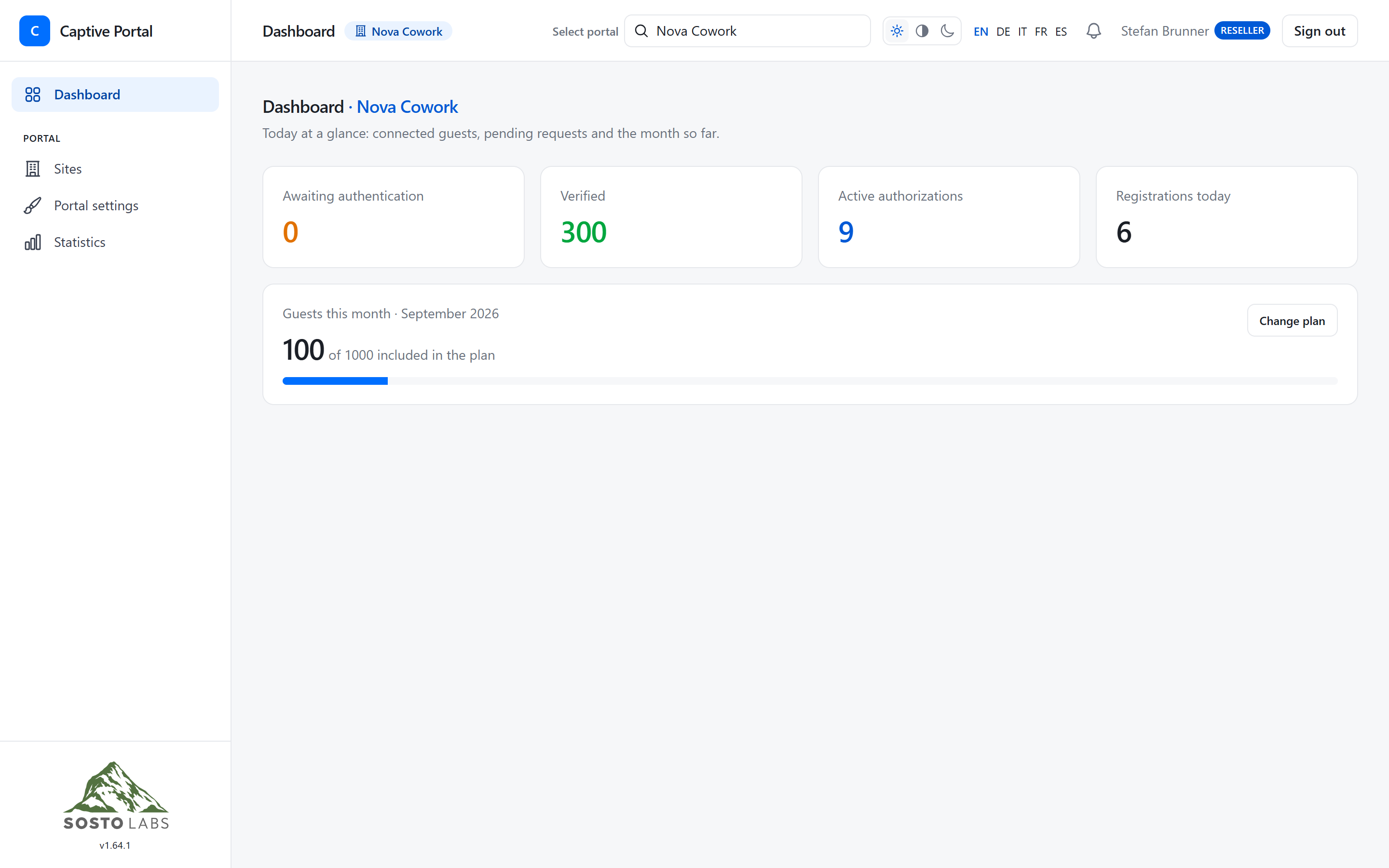
As a reseller you can run several portals — one per customer, each with its own sites, brand and settings. Guest personal data stays with your customer: resellers only see the numbers.
- Switch between customer portals from the top bar
- Configure sites, UniFi controllers and branding for each customer
- No access to guest lists, marketing contacts or privacy requests
- Invite your customers’ administrators by e-mail
Pricing
Every feature. In every plan.
Plans only differ in size. Start with a free trial and change plan whenever you grow.
Starter
€19.90excl. VAT/ month
or €199 excl. VAT / year
€199excl. VAT/ year
€16.58 / month, billed yearly
- 1 site
- 10 access points
- 1,000 guests per month
- 14-day free trial
- Recommended
Standard
€34.90excl. VAT/ month
or €349 excl. VAT / year
€349excl. VAT/ year
€29.08 / month, billed yearly
- 3 sites
- 25 access points
- 3,000 guests per month
- 14-day free trial
Pro
€45.90excl. VAT/ month
or €459 excl. VAT / year
€459excl. VAT/ year
€38.25 / month, billed yearly
- 10 sites
- 50 access points
- 10,000 guests per month
- 14-day free trial
Enterprise
€99excl. VAT/ month
or €990 excl. VAT / year
€990excl. VAT/ year
€82.50 / month, billed yearly
- 25 sites
- 250 access points
- Unlimited guests per month
- 14-day free trial
Prices in EUR, excluding VAT. VAT and other applicable taxes are added at checkout by Paddle, our reseller and Merchant of Record. Customers in Switzerland and Liechtenstein pay in CHF, in the US in USD.
Included in every plan
- Works with your own router or firewall — no device to buy
- Guest portal in Italian, German, French, English and Spanish
- Your logo, colours and welcome texts
- Sign-up with e-mail verification (link or code) or vouchers
- E-mails sent from your address, with your privacy notice
- Session length, speed and data limits per guest
- Guest list, statistics, CSV export and automatic data anonymisation
- Several administrators, two-factor sign-in, data in Switzerland
- Mailchimp integration for contacts with marketing consent
How guests are counted
A guest is one verified e-mail address or one voucher used in a calendar month, across all your sites — however many times they connect. If you go over, guests keep connecting and we let you know; only after three months in a row over the quota are new guests paused, with two weeks’ notice.
Requirements
UniFi access points and a UniFi OS console running UniFi Network 9.x or 10.x. Router and firewall can be any brand, as long as they let you set up port forwarding to the console, which you can restrict to our server. Your connection must be reachable from the internet: with a static public IP or, if the IP changes, with a DDNS name.
Need more than 25 sites, or running Wi‑Fi for several customers? Contact us
Do I need additional hardware?
You need a UniFi network: UniFi access points and a UniFi OS console. If you already have one, there is nothing else to buy. If you are starting from scratch, a UniFi Express 7 or a UniFi Dream Router 7 is enough for a flat or a small property: one device is your router, Wi‑Fi 7 access point and console. The router and firewall in front of your network can be any brand, as long as they support port forwarding and your connection is reachable from the internet — with a static public IP on the WAN or a dynamic DNS (DDNS) name.
Which UniFi systems are supported?
UniFi OS consoles running UniFi Network 9.x or 10.x. The portal connects through the official UniFi Network Integration API with an API key you create in UniFi Network. Older controllers without the Integration API are not supported.
Is it cloud based?
Yes. We host, run and update the service in Switzerland. You don’t install or maintain anything: you connect your UniFi network and configure everything from your browser.
Is there a free trial?
Yes — each customer's first subscription starts with a 14-day free trial; if you already had a subscription, even just a trial, you pay from day one. You enter a payment method at checkout and can cancel before the trial ends.
How does guest authentication work?
With e-mail, guests enter their name and e-mail and accept your privacy notice. They get online immediately for a short grace period and confirm with the link or numeric code we e-mail them. Alternatively, a site can use printed vouchers instead of e-mail. And we’re not stopping there: we’re developing further sign-in options to meet our customers’ needs, always with data protection in mind.
Can I configure GDPR / nLPD privacy consent?
Yes. You publish your privacy notice in every language; each change is kept as an immutable version and every registration records which one was accepted. Marketing consent is optional and never pre-ticked. You set how long personal data is kept, and you can export or erase a guest’s data on request. As the data controller, you remain responsible for the texts and legal bases you use.
Give your guests a Wi‑Fi welcome worthy of your brand.
Start your 14-day free trial and connect your first UniFi site today.