Guest Experience · Holiday rentals, Airbnb and B&Bs
The house guide, on your guests’ phones.
A welcome page with everything guests need during their stay: check-in, Wi‑Fi, house rules, restaurants and day trips. They open it with a QR code or see it as soon as they join your Wi‑Fi. No app to install, no binder to keep up to date.
“How do I get online?” “Where does the rubbish go?” “What time is check-out?” The answers already exist: in the binder in the living room, in a PDF, in three different messages. The Guest Experience puts them in one place, in your guest’s language, and you update it in a minute.
For your guests
What your guests see
A page that feels like your house, on any phone.
1
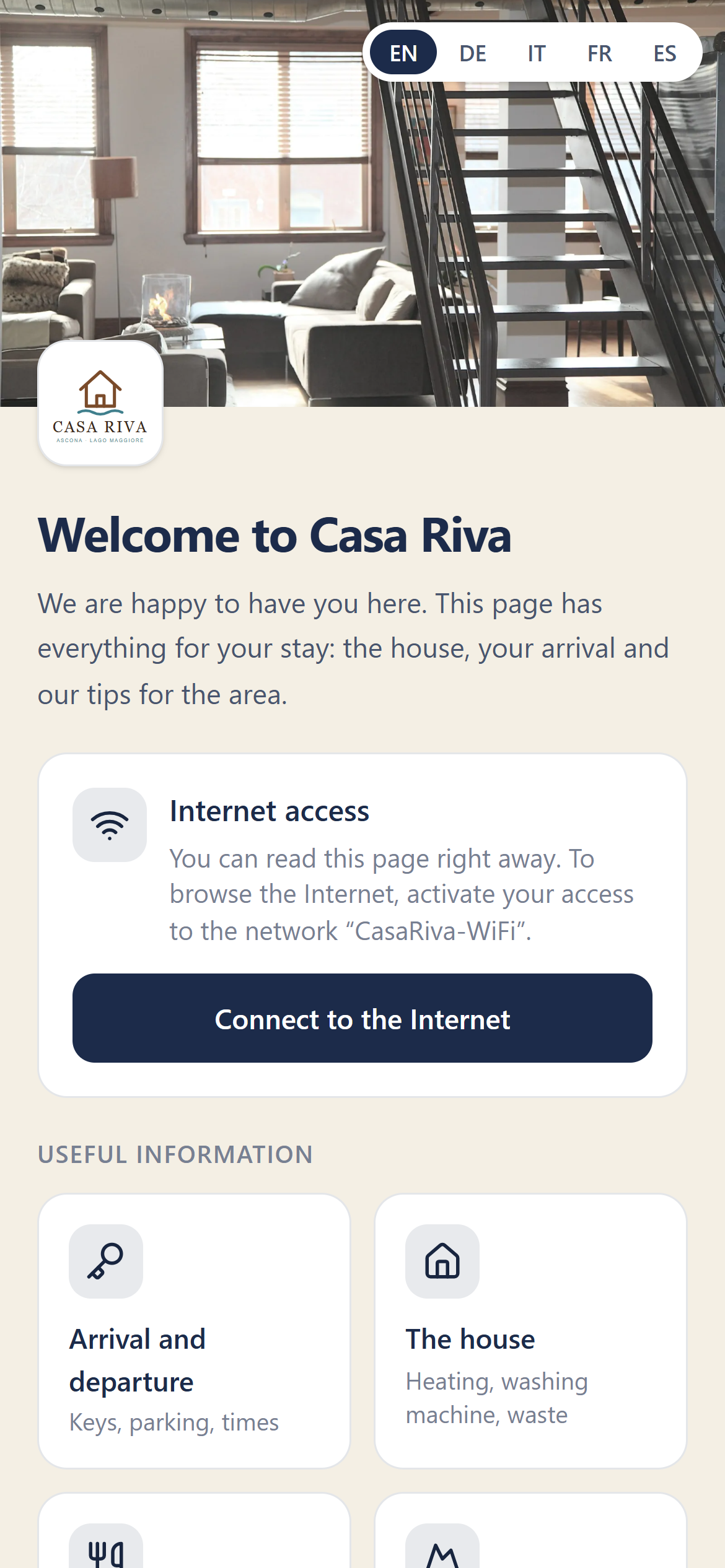
Welcome
A photo of the house, your message, the Wi‑Fi box and tiles with everything they need.
2
Pages
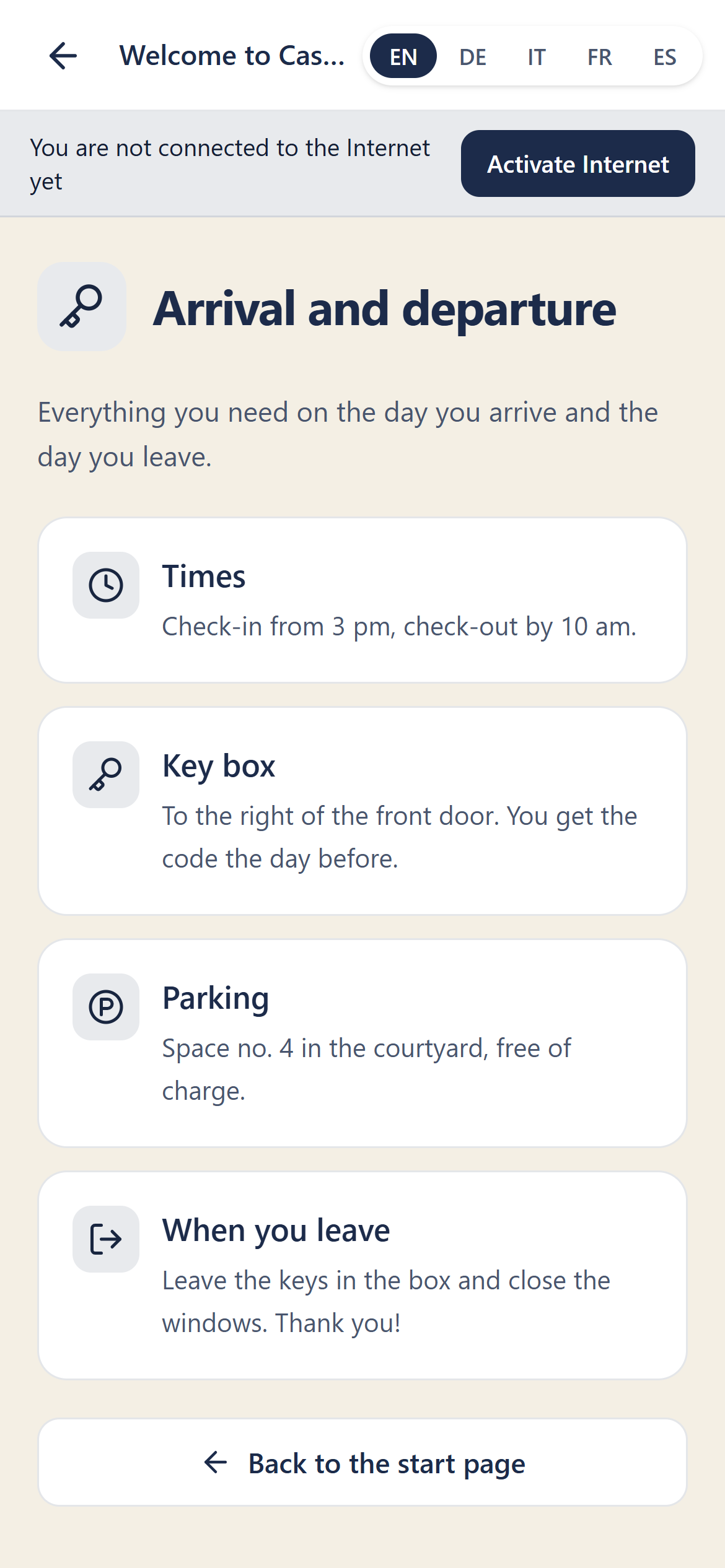
Each tile opens a page: arrival and departure, the house, where to eat, day trips, useful numbers. Every entry can have a website, a map and a phone number to call with one tap.
3
Internet access
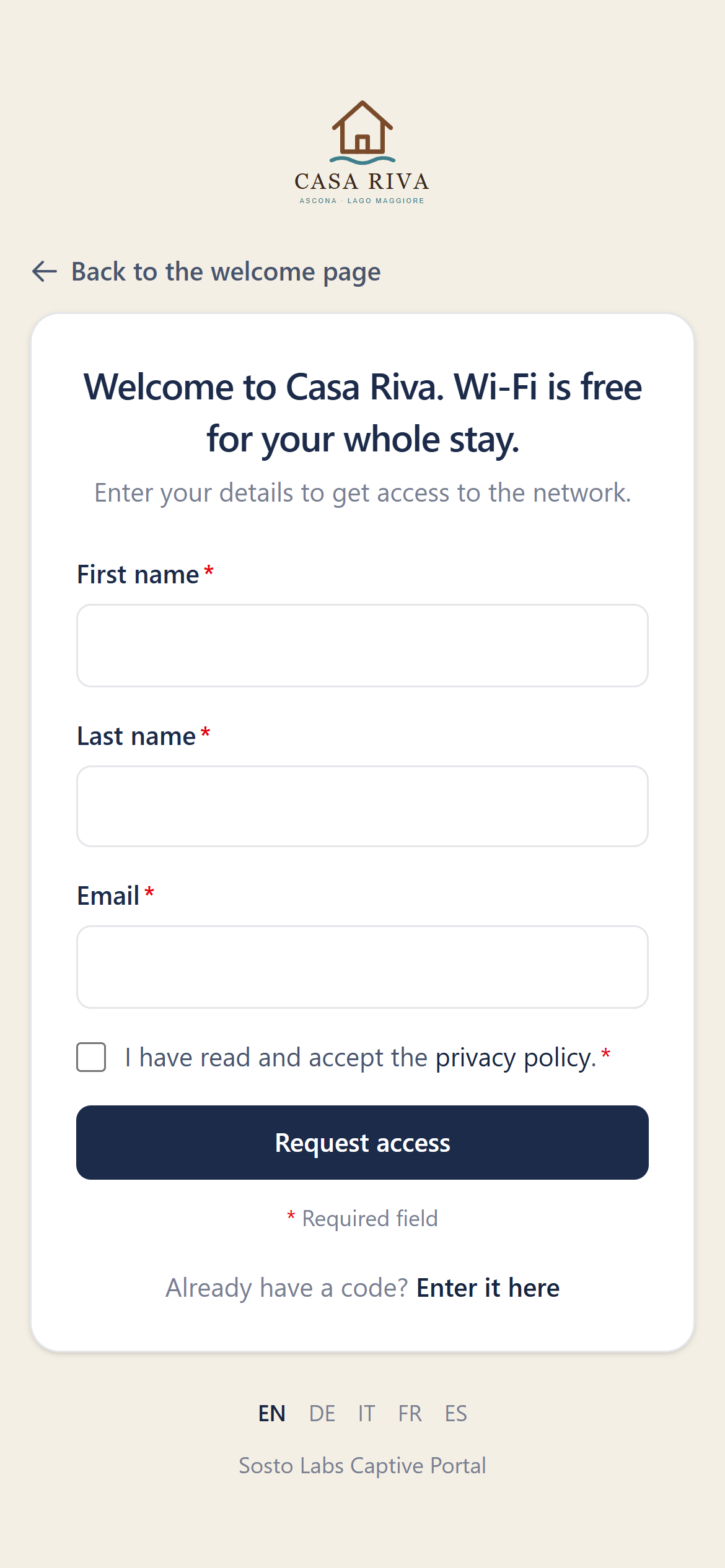
“Connect to the Internet” opens the Wi‑Fi sign-in form: verified e-mail, voucher or access code, as for every Sosto Labs guest.
Five languages
Italian, German, French, English and Spanish. Guests see their own language and can switch at the top.
Readable before going online
When guests join the Wi‑Fi they see the welcome page straight away, before activating internet access.
External links
If a guest is not online yet, opening a website first offers to activate internet access.
Light and private
The page loads nothing from other sites and does not touch guest data.
For you
Ready in an afternoon, updated in a minute.
You set everything up in the admin panel, house by house.
Welcome and photo
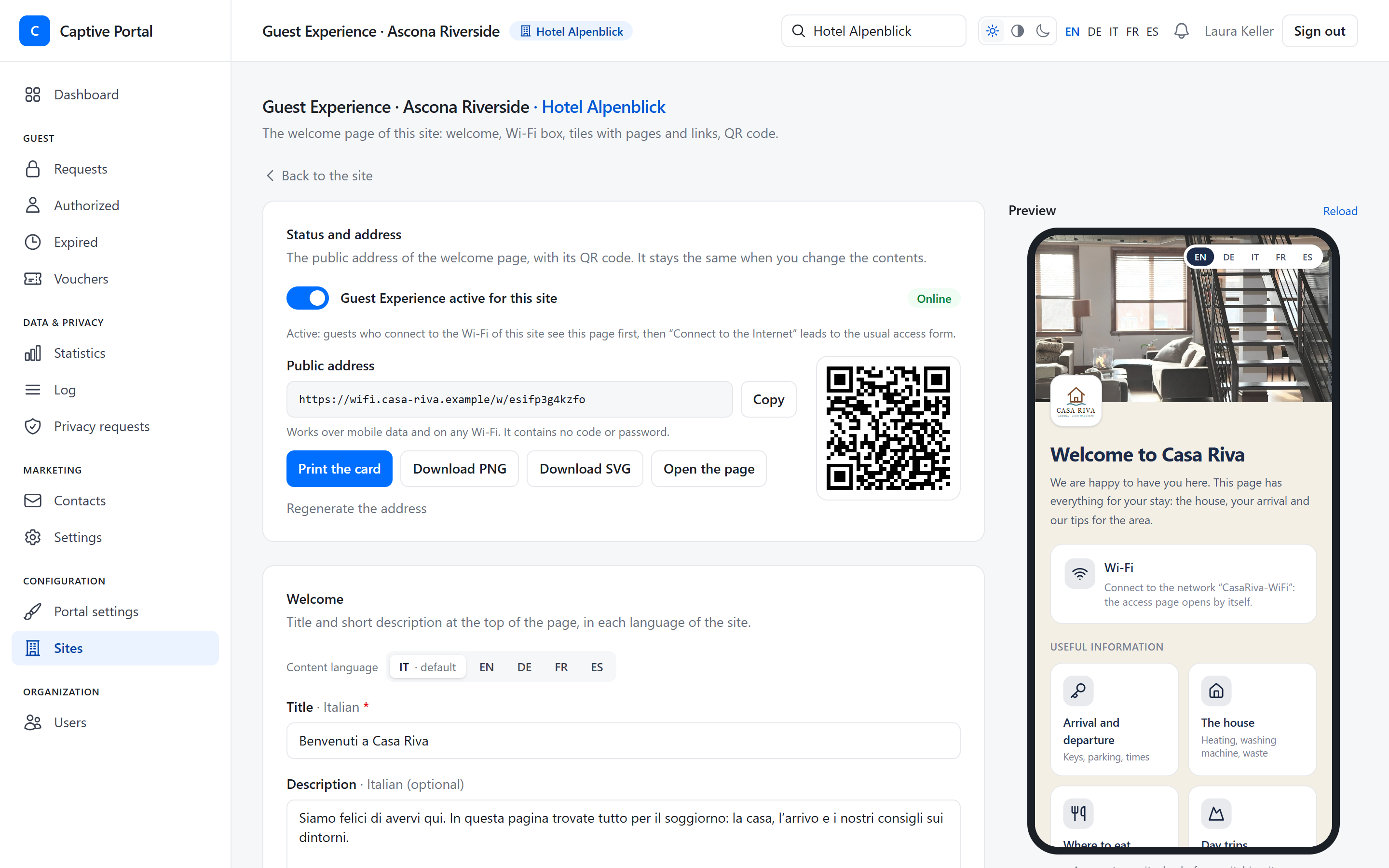
Title, message and the main photo. We resize the photo and remove its hidden data, including the GPS location.
Tiles and pages
Pick an icon, write the title and add the entries. Drag to reorder, and hide a tile without deleting it.
Texts per language
Write in the languages you offer. If a translation is missing, guests see English or your main language.
Live preview
While you type, you see the page as your guests will, on a phone.
captive.sostolabs.com/admin/sites
QR code
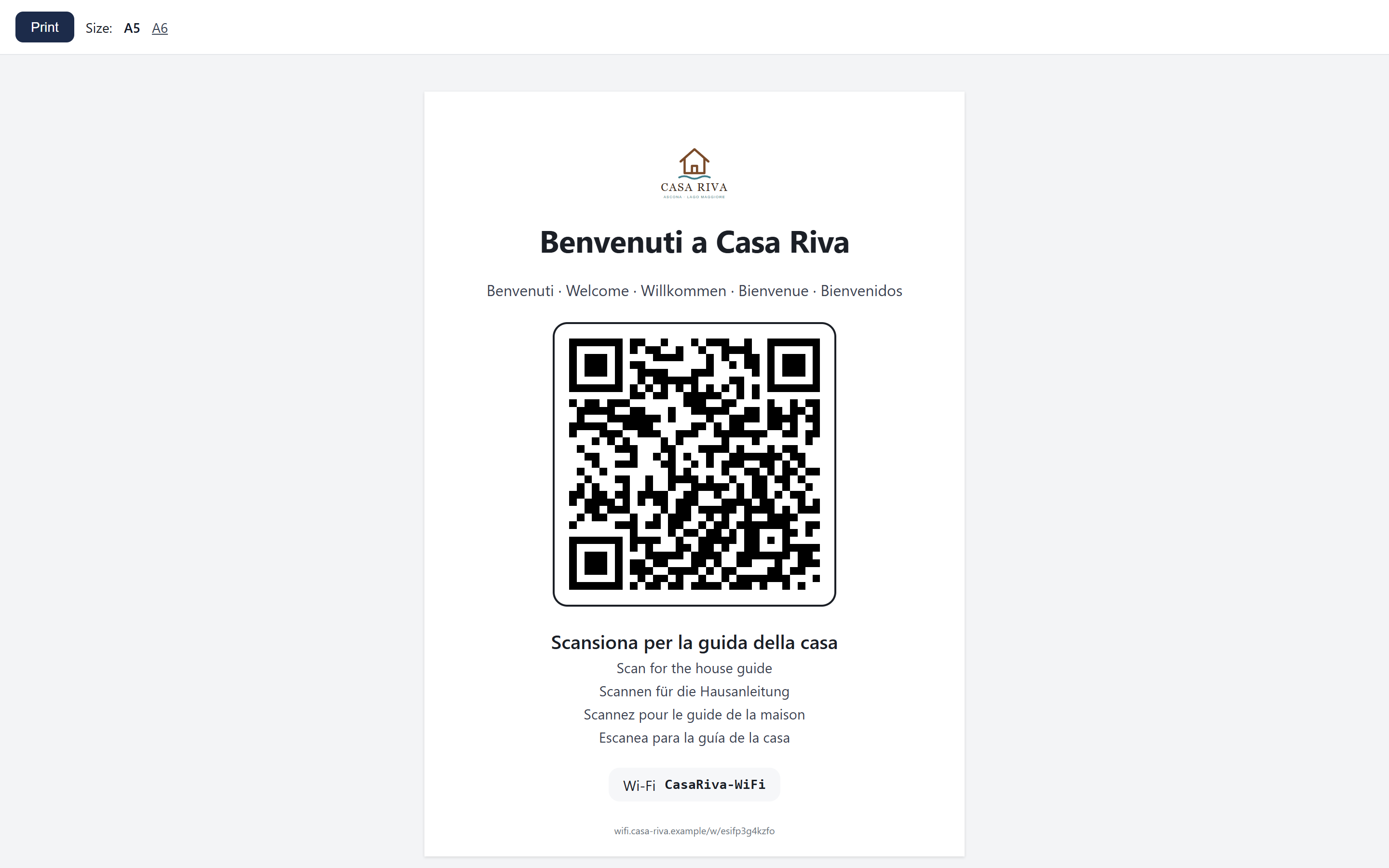
A QR code on the table, and the guide is open.
Print the card, leave it in the house, and you are done.
A card ready to print in A5 or A6, with the QR code and an invitation to scan in all the languages of the house.
The QR code also as PNG and SVG, for your own design, the booking confirmation or your welcome message.
The address does not change when you edit the content: the printed card keeps working.
The QR code works on mobile data and on any Wi‑Fi. It contains no codes or passwords.
captive.sostolabs.com/admin/sites
For bars and restaurants too
The menu on their phone, with a QR code on the table.
The same page works for bars, restaurants and cafés: customers scan the QR code on the table, or join the venue’s Wi‑Fi, and find the menu, opening hours and news in their language.
The menu
Write it in an internal page, dish by dish, with description and price. Or let a tile open the menu you already have on your website or in an online PDF.
Hours and contacts
Opening hours, the address with a map and the number to call with one tap.
Social media
A tile to your Instagram profile or your Facebook page.
Specials and events
The dish of the day, Friday aperitivo, live music night: update the tile in a minute and the QR code stays the same.
On the venue’s Wi‑Fi, external websites and PDFs open after the customer has gone online, with e-mail, voucher or access code. A menu written in an internal page can be read straight away. With the QR code and mobile data, everything opens straight away.
Simple installation
One device for Wi‑Fi and welcome.
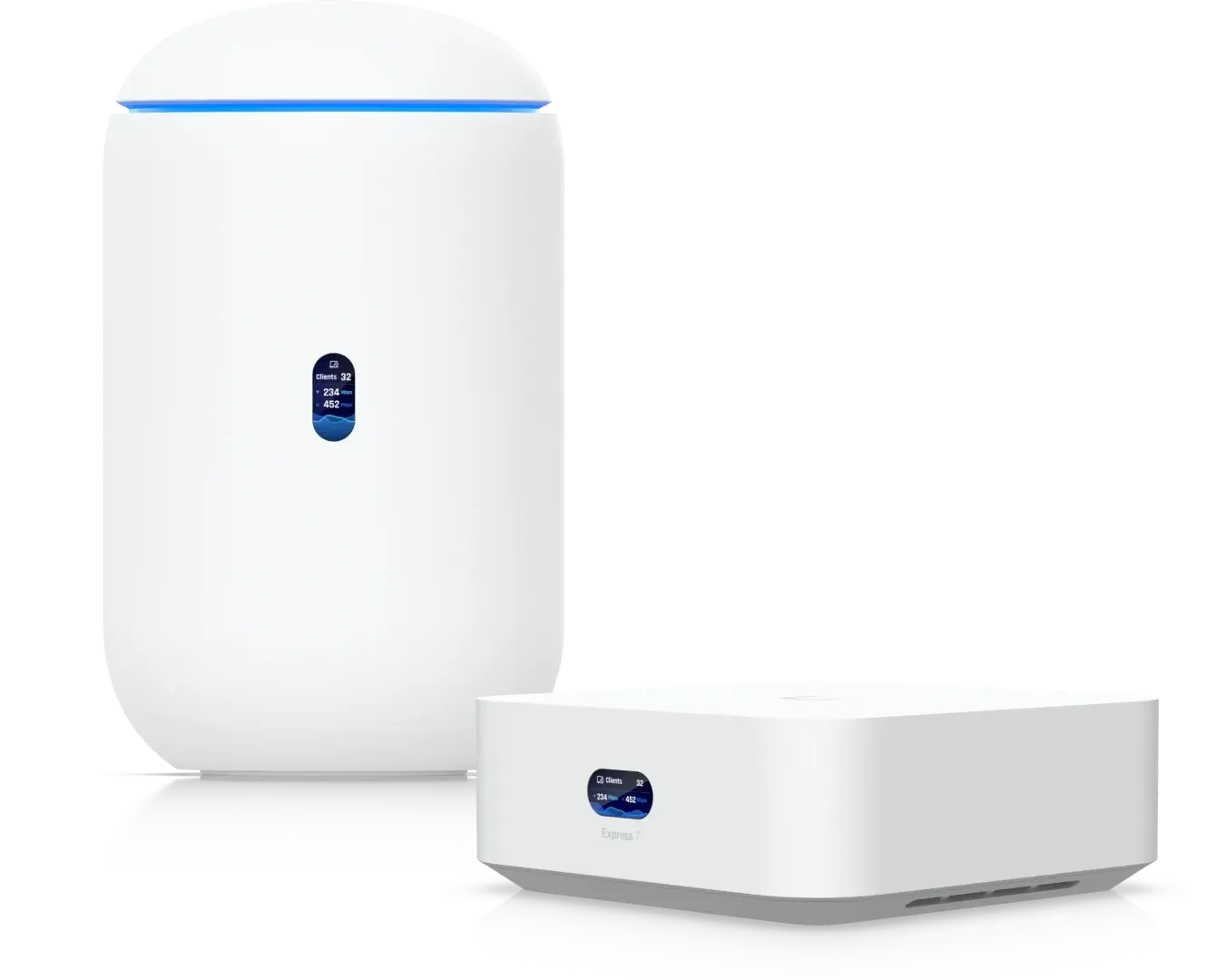
For a flat or a small house, a UniFi Express 7 or a UniFi Dream Router 7 is enough: one device is your router, Wi‑Fi 7 access point and UniFi console. Sosto Labs connects to the console and takes care of the rest: welcome page, guest access and statistics.
1
Install the Express 7 or the Dream Router 7 behind your provider’s modem and create the guest Wi‑Fi network.
2
Set up port forwarding to the console, and a DDNS name if your IP address changes.
3
In Sosto Labs, add the site with the console address and an API key.
4
Prepare the Guest Experience and print the card: you are ready for your first guest.
Several holiday homes? Each house is a site, with its own page, Wi‑Fi and card, all managed from one panel.
Rather not set up the router and port forwarding yourself? Your network technician or a UniFi installer can do it for you. And before you buy, you can ask us any technical question: we’ll tell you what your home needs.
We would like to use Google Analytics to understand how our website is used. It sets cookies only if you agree. You can change your choice at any time via “Cookie settings” at the bottom of the page. Privacy policy
Necessary
Needed for the website to work. We only store your cookie choice, for 6 months, in the technical cookie sl-consent (also valid on platform.sostolabs.com).
Always on
Statistics — Google Analytics
Helps us understand how the website is used (pages viewed, approximate location, device). Provider: Google Ireland Limited / Google LLC. Cookies: _ga, _ga_* (up to 2 years). Data may be transferred to the USA.