
Connect Captive Portal to your UniFi console
Updated
On this page
To authorize guests, Captive Portal must be able to talk to your UniFi console. You need three things: an API key, a port forwarding rule to the console and the site details in the dashboard.
1. Create the API key in UniFi Network
In UniFi Network, open Integrations from the sidebar.
Click Create New API Key.
Give it a recognisable name, for example
captive-portal, and set Expiry to Never Expires.Click Create and copy the key: you will need it shortly in the Captive Portal dashboard.
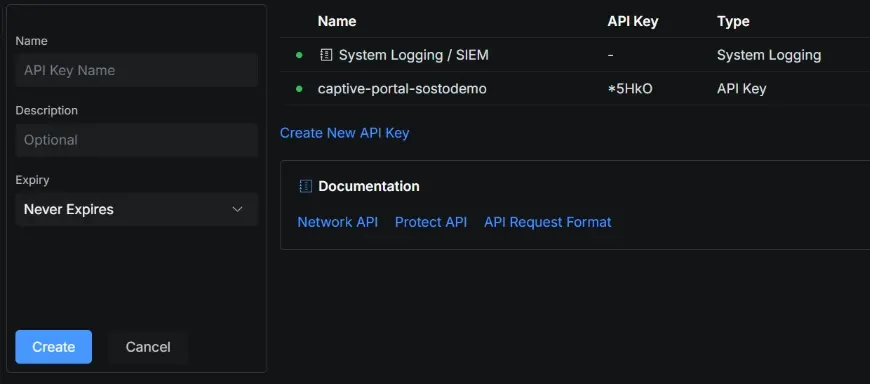
UniFi Network → Integrations → Create New API Key
2. Set up port forwarding to the console
Our server reaches the console over HTTPS. On the site’s router or firewall, create a port forwarding rule:
Setting | Value |
|---|---|
External port | a port of your choice, for example |
Destination | internal IP address of the UniFi console, port |
Allowed source | only our server’s IP: |
3. Connect the site in Captive Portal
In the dashboard, open Sites and pick the site, or create a new one.
In the UniFi controller section, set Mode to Real UniFi.
In Host / IP, enter the site’s public address with the external port, for example
https://203.0.113.10:20443.In API key, paste the key created in UniFi.
If the console uses its own self-signed certificate (the usual case with an IP address), untick Verify TLS certificate.
Click Save.
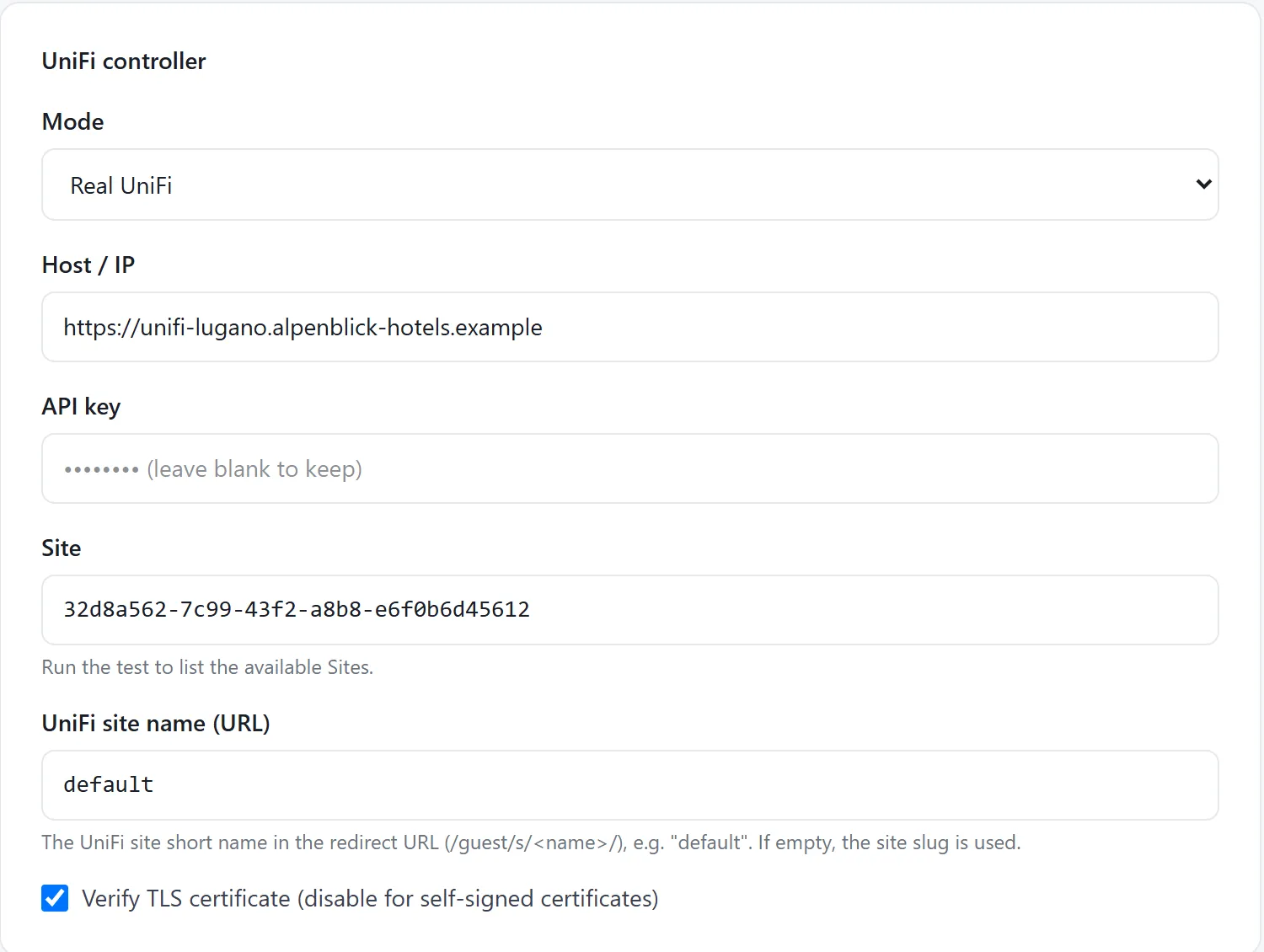
The site’s UniFi controller section
Run the test and pick the Site
In the Connection test box, click Run test.
If the connection works, you see the list of UniFi Sites on the console: click the right one to fill in the Site field.
Leave UniFi site name (URL) as
default, unless your UniFi site has a different short name.Click Save.
If the test fails
Message | What to check |
|---|---|
Timeout or connection refused | Port forwarding, the external port in the Host field and the allowed source IP on the firewall. |
HTTP 401 | The API key is wrong, deleted or expired: create a new one. |
Certificate (SSL) error | Untick “Verify TLS certificate”. |
Once the test works, set up the hotspot: Set up the UniFi hotspot for Captive Portal.
Frequently asked questions
Do I have to open the UniFi console to the whole Internet?
No. The port forwarding can and should be restricted to our server’s IP address.
Can I use the same API key for several sites?
Yes, if the sites are on the same console: with the connection test, pick the matching UniFi Site for each site.