
Set up the UniFi hotspot for Captive Portal
Updated
On this page
Once you have connected the UniFi console, set up the hotspot so that UniFi sends guests to the Captive Portal sign-in page instead of its standard page.
1. Copy the site’s domain
Each site has its own domain for UniFi. In the Captive Portal dashboard, open Sites, pick the site and, in the Guest access (UniFi) box, copy the value of Domain to enter in UniFi ("Domain" field). If there is none yet, click Generate the UniFi domain.
The domain looks like this: <token>.captive.sostolabs.com. Copy puts it on the clipboard.

The site’s domain in the dashboard
2. Open the Landing Page in UniFi Network
In UniFi Network, open Client Devices, the Hotspot tab and click Landing Page.
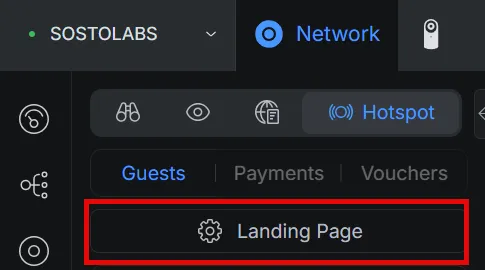
UniFi Network → Hotspot → Landing Page
3. Set the Landing Page Settings
Option | Value |
|---|---|
Show Landing Page | on |
HTTPs Redirection Support | on |
Encrypted URL | off |
Secure Portal | off |
Domain | on, with the domain copied from the dashboard |
In the Domain field, enter the host name only: no https:// and no path.
4. Set the External Portal Server
In the Landing Page, under External Portal Server, enter our server’s IP 185.177.61.37 and click Save.
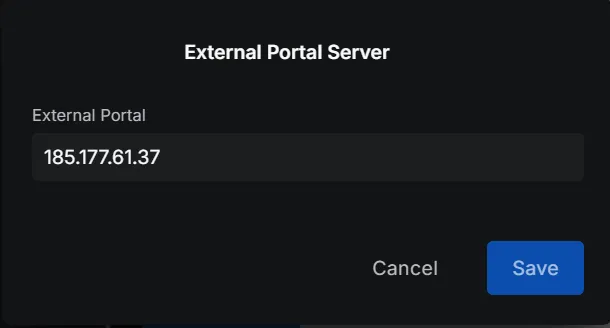
External Portal Server = Captive Portal’s IP
5. Allow the portal before sign-in
Under Authorization Access → Pre-Authorization Allowances, click Add Hostname, IP or Subnet and add captive.sostolabs.com. This lets guest devices reach the sign-in page before they are authorized.
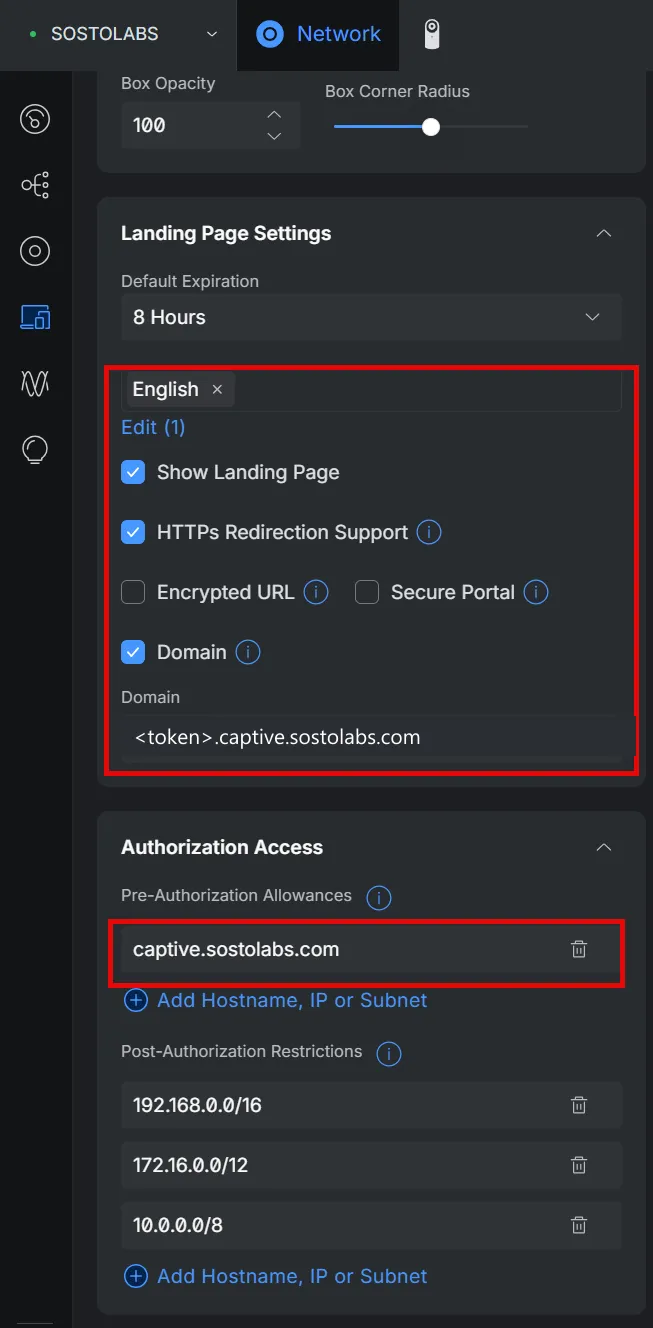
The correct Landing Page settings
Save the changes in UniFi.
6. Test with a phone
Connect a phone to the guest Wi‑Fi network.
Your portal’s sign-in page should open: sign in as a guest would.
After verification the phone is online, and the guest appears under Authorized in the dashboard.
If something is wrong
Symptom | What to check |
|---|---|
The sign-in page does not open | Show Landing Page is on and |
“Service unavailable” appears | The domain in UniFi does not match the site’s domain, for example after regenerating the token: copy it again from the dashboard. |
The guest signs in but cannot browse | Encrypted URL is off and the site’s connection test succeeds. |
Frequently asked questions
What goes in the Domain field?
The site’s domain shown in the Captive Portal dashboard, in the form .captive.sostolabs.com, without https:// and without a path.
Why must Encrypted URL be off?
With Encrypted URL on, UniFi encrypts the device address in the redirect, and Captive Portal cannot reliably identify the device to authorize it.